
Digital co-parenting is the practice of using specialized, secure platforms to coordinate custody schedules, communication, and shared expenses between separated or divorced parents. Platforms like OurFamilyWizard, TalkingParents, and AppClose provide secure time-stamped messaging, shared calendars, expense tracking, and exportable logs that hold up in court. These tools do far more than replace texting. They create a structured, legally defensible record of every interaction, which protects both parents and, most importantly, the children caught in the middle. If you are navigating a separation or custody arrangement, understanding what digital co-parenting technology offers is one of the most practical steps you can take.
What is digital co-parenting and how does it work?
Digital co-parenting is defined as the use of purpose-built apps and platforms to manage the operational side of shared parenting after separation. The industry term you will hear from family law attorneys is "co-parenting communication technology," and it covers a specific category of tools designed for the legal and logistical demands of custody arrangements. This is not the same as sharing a Google Calendar or texting through WhatsApp. The distinction matters because communication history and organization reduce conflicts more effectively than regular messaging, and courts treat these records differently.
The core idea is centralization. Instead of custody details scattered across texts, emails, voicemails, and sticky notes, everything lives in one place. Both parents access the same information, see the same calendar, and communicate through the same channel. That single source of truth removes the "I never said that" arguments that escalate so many custody disputes. For parents in high-conflict situations, this shift from informal communication to a structured platform can be genuinely transformative.

What features do digital co-parenting tools typically offer?
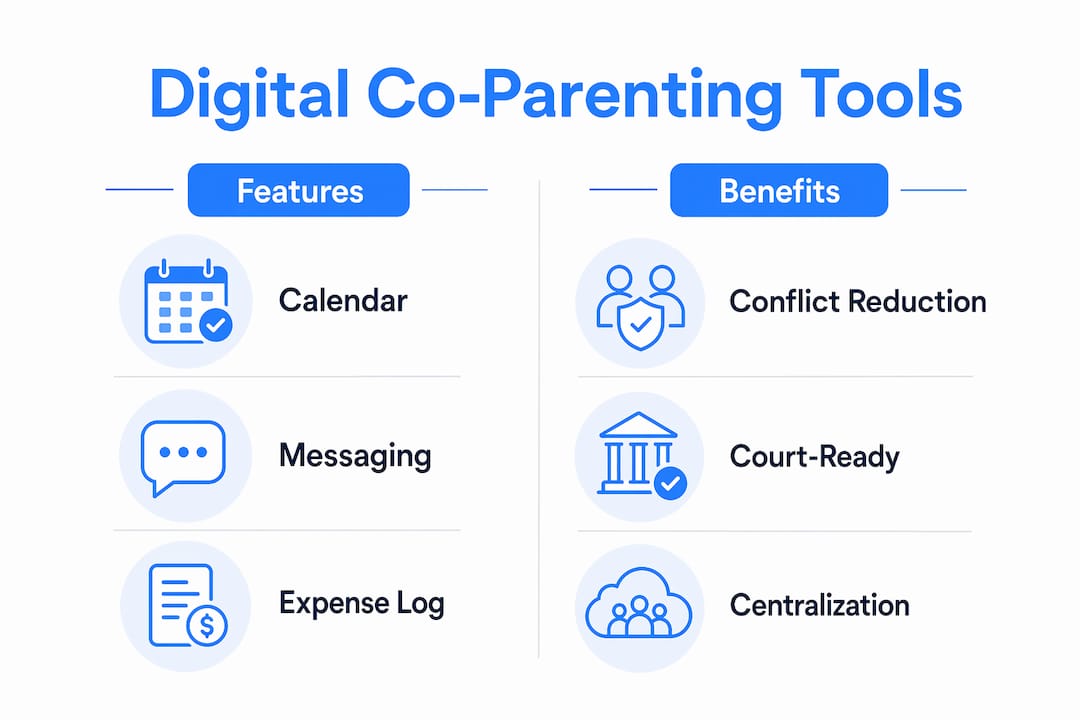
The features that separate co-parenting apps from general communication tools fall into five clear categories:
- Secure, tamper-proof messaging. Every message carries a time stamp and cannot be edited or deleted after sending. OurFamilyWizard and TalkingParents both archive messages permanently, which means neither parent can alter the record.
- Shared custody calendars. Parents can post schedules, request changes, and confirm or decline adjustments within the app. This eliminates the "I didn't know about that appointment" disputes.
- Expense tracking. Co-parenting apps log costs and reimbursement requests transparently, with receipt attachments. This prevents later disputes over who paid for what school supplies, medical copays, or extracurricular fees.
- Document storage. Medical records, school reports, insurance cards, and legal documents can be uploaded and accessed by both parents. No more claiming the other parent withheld critical information.
- Exportable court logs. Every message, calendar change, and expense entry can be exported as a formatted report for attorneys or judges.
Pro Tip: Set up your expense log from day one, even for small purchases. A consistent record of minor costs builds a pattern that becomes very persuasive in court if reimbursement disputes escalate.
These features work together as a system. A parent who uses only the calendar but ignores the messaging feature creates gaps in the record. The full benefit of digital parenting tools comes from consistent, all-in use across every function the app offers.
How do digital co-parenting tools reduce conflict and support legal processes?
The conflict-reduction effect of these platforms is not accidental. It is built into the design. Apps encourage measured, neutral communication by removing the immediacy of a phone call and replacing it with a written, permanent record. When you know every word you type is saved and potentially reviewable by a judge, you choose those words more carefully.
Several platforms go further with active tone monitoring. OurFamilyWizard's ToneMeter feature alerts parents to emotionally charged language and suggests rewrites before a message is sent. This is not a small feature. It interrupts the reactive cycle that turns a scheduling disagreement into a screaming match, and it does so at the exact moment a parent is most likely to send something they will regret.
The legal value is equally concrete. Time-stamped records reduce emotional and financial burdens during custody disputes, and courts actively reference them. The most direct evidence of judicial endorsement comes from California. In 2026, AppClose and the Los Angeles County Superior Court announced a 3.5-year extension of their approved co-parenting platform agreement, citing encrypted messaging and certified electronic business records as key factors. That is a court formally recognizing a specific app as a reliable legal tool.
"The court assesses the manner of communication, so apps that encourage respectful, neutral messaging can be invaluable." — Psychology Today
High-conflict disputes often turn on whether parents have easy-to-export, tamper-resistant communication records stored within a sanctioned app. Off-app communications, whether texts, emails, or phone calls, can create ambiguity and weaken your legal position. The platform is only as powerful as your commitment to using it exclusively.
How is digital co-parenting different from parental control or family organizer apps?
This distinction confuses a lot of parents, and getting it wrong means choosing the wrong tool entirely.
| App Type | Primary Focus | Court-Ready Records | Expense Tracking | Secure Messaging |
|---|---|---|---|---|
| Co-parenting apps (OurFamilyWizard, TalkingParents) | Parent-to-parent custody coordination | Yes | Yes | Yes |
| Parental control apps (Google Family Link) | Child device monitoring and screen time | No | No | No |
| General family organizers (Cozi) | Household scheduling and task management | No | No | No |
Parental control apps like Google Family Link focus on supervising a child's device use from one parent's perspective. They track screen time, location, and app access. They are not designed for parent-to-parent communication and produce no court-admissible record of custody-related exchanges.
General family organizers like Cozi handle grocery lists and shared calendars well. They are built for intact households where trust is not in question. They lack tamper-proof messaging, expense documentation, and the export formats that family courts require. Using Cozi as your co-parenting platform is like using a notepad as a legal contract. It might capture the information, but it carries no legal weight.
Co-parenting apps exist specifically because the legal and emotional demands of custody arrangements require a purpose-built tool. The tamper-proof architecture is not a luxury feature. It is the entire point.
Pro Tip: If your custody order or parenting plan specifies a communication platform, use that platform exclusively. Deviating to texts or emails, even occasionally, can be used against you in a modification hearing.
What are the best practices for using digital co-parenting tools effectively?
Owning the right tool is only half the equation. How you use it determines whether it protects you or creates new problems.
- Use the app as your only channel for custody communication. Consistent use of a single platform eliminates ambiguity and strengthens your legal position. Every time you send a custody-related text outside the app, you create a gap in your official record.
- Log expenses in real time, not in batches. Entering a $45 copay the day it happens is far more credible than reconstructing three months of expenses before a hearing. Attach receipts immediately.
- Cooperate on the shared calendar, even when the relationship is difficult. Confirming schedule changes through the app, rather than verbally, protects both parents. It also models predictability for your children, which supports their well-being during an inherently unstable period.
- Use tone monitoring features before sending any message about a contested topic. If your app does not have a built-in tone monitor, read your message aloud before sending it. Ask yourself whether a judge would consider it reasonable.
- Never use your children as messengers. The app exists precisely so that children do not have to carry information between households. If your co-parent is communicating through the children, document it in the app immediately.
- Grant professional access when needed. Attorneys, mediators, and guardians ad litem can be given limited access to review communication records without requiring extensive file transfers. Use this feature proactively when legal proceedings are active.
Organizing your co-parenting evidence from the start of your arrangement, not just when a dispute arises, is the single most effective strategy for protecting yourself long-term. The parents who struggle in court are almost always the ones who started documenting too late.
Key takeaways
Digital co-parenting works because purpose-built platforms create tamper-proof, court-admissible records that generic messaging tools cannot produce.
| Point | Details |
|---|---|
| Definition of digital co-parenting | Using specialized apps to coordinate custody, communication, and expenses between separated parents. |
| Core feature advantage | Tamper-proof, time-stamped messaging and exportable logs are legally reliable in ways that texts and emails are not. |
| Conflict reduction mechanism | Tone monitoring tools and permanent records change how parents communicate, reducing emotional escalation. |
| Legal endorsement | Los Angeles County Superior Court extended its AppClose agreement in 2026, confirming court-approved platform value. |
| Best practice rule | Use one platform exclusively for all custody communication to maintain a clear, unambiguous legal record. |
Why digital tools alone won't save a broken co-parenting relationship
I have seen parents invest in every available digital parenting tool and still end up back in court six months later. The technology is genuinely useful. It is not magic.
What I have observed is that the parents who benefit most from these platforms are the ones who treat the app as a professional communication channel, the way you would treat email with a difficult colleague. They keep messages factual, short, and child-focused. They do not use the platform to relitigate the divorce or score points. The permanent record cuts both ways. Everything you write is saved, and a judge will read it.
The harder truth is that digital co-parenting tools work best when at least one parent is committed to using them correctly. In genuinely high-conflict situations, one cooperative parent using the platform well can still build a compelling legal record, even if the other parent refuses to engage constructively. Documenting co-parenting messages consistently is one of the few things entirely within your control, regardless of what your co-parent does.
I also want to name the emotional weight of this. Switching from personal texts to a formal co-parenting app can feel like admitting the relationship has failed completely. It has not failed. It has changed. These tools exist to make the new version of your family work better for your children. That reframe matters more than any feature list.
— Devin
How Replycalmly helps you communicate with confidence
If you are dealing with a high-conflict co-parent, having the right platform is only part of the solution. Replycalmly is built for the moments when a message arrives and you genuinely do not know how to respond without making things worse.

Replycalmly's response generator produces calm, firm, and court-appropriate reply options for difficult messages, so you never have to choose between protecting yourself and staying professional. The platform also tracks communication patterns over time, categorizes incidents, and builds a documented record that integrates with tools like OurFamilyWizard. Whether you need help choosing the best app for documentation or want a structured co-parenting communication plan to start your arrangement on solid ground, Replycalmly gives you the tools to stay organized and legally protected.
FAQ
What is the difference between digital co-parenting and regular texting?
Digital co-parenting uses purpose-built apps with tamper-proof, time-stamped records that courts accept as evidence. Regular texting produces no permanent, unalterable record and carries no legal weight in custody proceedings.
Are co-parenting apps court-approved?
Some platforms have formal court endorsements. AppClose, for example, holds an approved agreement with the Los Angeles County Superior Court, renewed in 2026 for 3.5 years, based on its encrypted messaging and certified electronic records.
Can I use a co-parenting app if my co-parent refuses to?
Yes. You can still log your own communications, document incidents, and build a record of your co-parent's non-participation. Courts notice when one parent consistently uses a sanctioned platform and the other does not.
How is a co-parenting app different from a parental control app?
Co-parenting apps coordinate parent-to-parent communication and custody logistics. Parental control apps like Google Family Link monitor a child's device use and screen time. They serve entirely different purposes and are not interchangeable.
Do I need a lawyer to set up digital co-parenting tools?
No, but consulting a family law attorney about which platform your jurisdiction prefers is worth doing before you start. Some courts specify approved platforms in custody orders, and using the wrong tool can create complications later.