Maintaining clear and court-ready communication between co-parents often gets compromised when apps lack drafting assistance, incident logging, or easy integration with mandated legal platforms. Many co-parenting communication tools either don't offer flexible response styles, tag and visualize recurring issues, or require users to leave court-approved channels entirely. This comparison shows how three alternatives differ in response generation, logging, anonymity, and automation so you can select a platform that prevents escalation and keeps a provable record for custody matters.
Table of Contents
Replycalmly
At a Glance
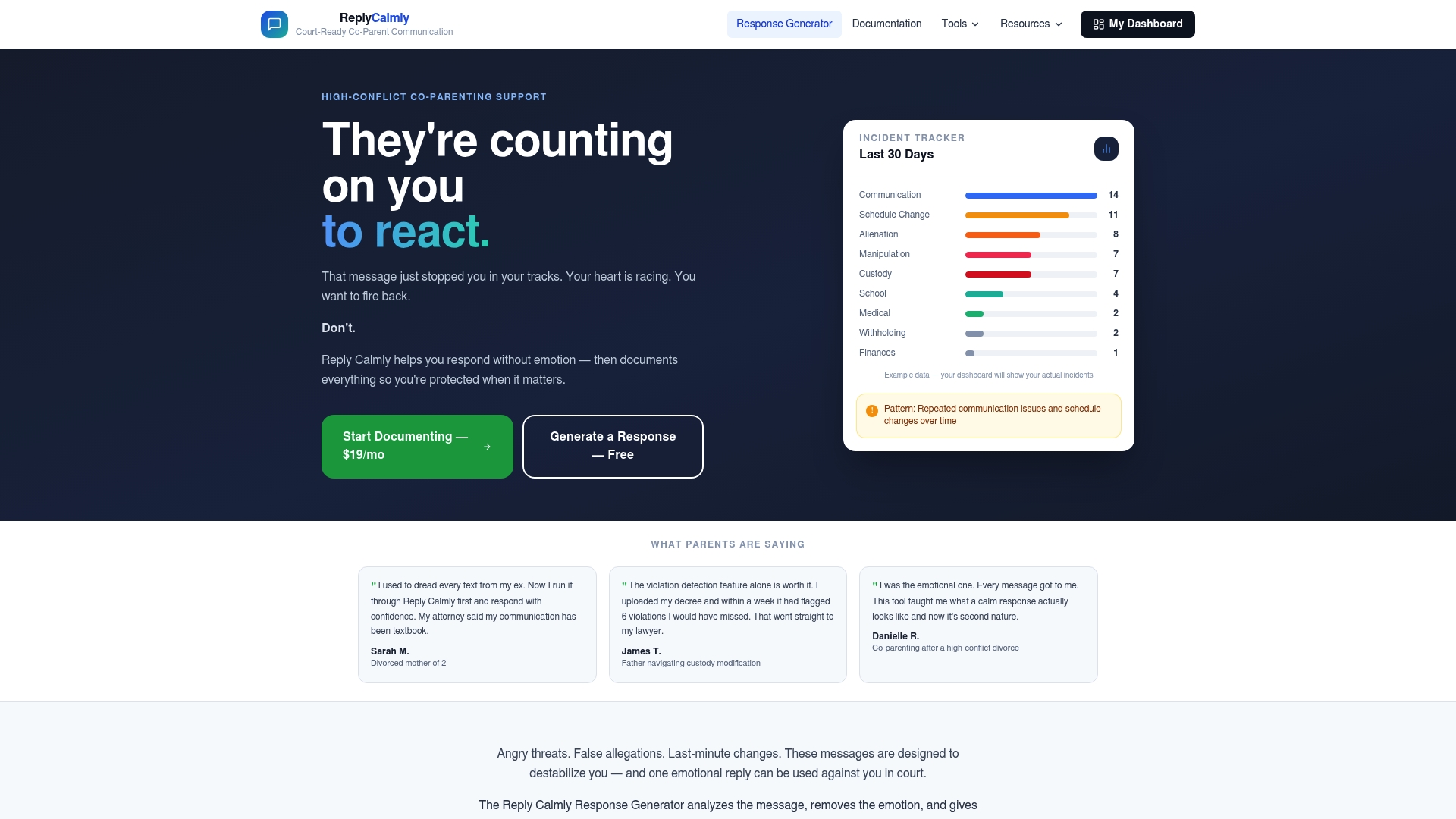
Replycalmly centers on a proprietary response generator that produces multiple reply styles—calm, firm, and short—to help co-parents craft court appropriate responses to difficult messages. The platform also logs incidents and visualizes communication patterns over time.
Replycalmly advertises privacy-first handling and integration with court mandated tools such as OurFamilyWizard to complement, not replace, existing systems.
Core Features
- Response generator: Multiple tone options for drafting replies to received messages.
- Incident tracking: Logs interactions and categorizes issues like custody conflicts, manipulation, and false accusations.
- Dashboards: Visualizations that show patterns over weeks or months to support legal preparation.
These elements combine drafting assistance with a running record intended for organization and accountability in custody contexts.
Key Differentiator
The single most distinct capability is the combination of tone options in the response tool with structured incident logging. Drafting a court appropriate message and having that interaction added to an evidence style timeline happens in the same workflow.
That workflow reduces the manual copy paste and filing many co-parents still do when preparing court records.
Pros
-
The response drafts save time when emotions are high. Choosing from calm, firm, or short replies removes the impulse to write and then edit under stress.
-
Logging each incoming message and tagging it by issue creates a searchable record for counsel and court filings.
-
Dashboard views reveal repetitive patterns. Over several weeks those visual cues make it easier to show a judge recurring behaviors rather than isolated incidents.
-
Integration with tools like OurFamilyWizard means Replycalmly can sit alongside court mandated channels instead of forcing a migration away from them.
Cons
- Not designed to replace court mandated communication systems; it works as a companion tool and may not meet all court submission requirements.
Who It's For
Co-parents and single parents in active custody disputes who need help staying composed under provocation and building a documented communication record. Also useful for attorneys who want a consistent exportable trail for hearings.
This is not for users who must rely solely on court mandated portals and cannot use companion tools.
Unique Value Proposition
The integrated drafting plus logging workflow turns reactive messaging into a deliberate record. Rather than drafting a reply in one app and saving screenshots in another, Replycalmly keeps the draft, the sent response, and the categorized incident within the same timeline for easier retrieval during discovery or hearings.
That arrangement shortens the path from a heated text to an admissible record you can present to counsel.
Real World Use Case
A parent receives an accusatory message late at night. They open Replycalmly, pick a calm reply, send it through the usual channel, and the system timestamps and tags the exchange as a custody conflict. Weeks later the tagged timeline is exported for a motion hearing.
Pricing
Pricing details are not publicly listed in the provided data. The product data labels pricing as "Not applicable — informational only," so you will likely need to contact Replycalmly for current plans and any subscription terms.
Website: https://replycalmly.com
WhiteFlag App

At a Glance
First mental health app offering 24/7 free anonymous peer support, according to the vendor. The vendor reports 94% of surveyed users felt less alone after using the app, which the product uses to describe community impact.
Core Features
- Anonymous peer support: join text-based conversations without sharing identity to get immediate empathy and practical tips.
- Real-time community connection: on-demand threads and live check-ins let members respond to each other within minutes.
- Access to mental health resources: curated links and community-shared tools for coping, grounding, and local help.
- Recognition through awards and media mentions that raise the app profile.
Use it for quick, anonymous check-ins when you want peer perspective rather than a clinical session.
Key Differentiator
The vendor positions WhiteFlag as the first app to combine round-the-clock anonymous peer connection with no-cost access and public recognition. That positioning leans heavily on nonstop community availability and a visible awards record to attract members who need immediate human contact.
Pros
- Immediate emotional relief: members report fast, empathetic replies in active threads, which helps when you feel alone late at night.
- No paywall: free download and use removes friction for parents who cannot afford private therapy or paid subscriptions.
- Anonymity reduces barriers: people concerned about custody-related stigma can speak without disclosure, a real advantage during sensitive disputes.
- Community-backed resources: crowdsourced tips and locally relevant links make finding a therapist or support group easier than starting from scratch.
- The vendor’s satisfaction figure above gives a measurable signal peers frequently report reduced isolation.
Cons
- Limited clinical detail and third-party validation make it unclear how the app performs against formal therapy outcomes.
- Not designed for crisis care; the community model does not substitute for emergency services or mandated clinical intervention.
- Vendor information lacks technical specifics about moderation, escalation protocols, or anonymity safeguards, which matters when sensitive custody evidence might be discussed.
When It May Not Fit
If you require integrated care with licensed clinicians, documented treatment plans, or direct therapist referrals, WhiteFlag may fall short. Also avoid it when a situation involves imminent risk, legal testimony needs, or court-ordered supervised communications where verified records and clinician involvement are required.
Who It's For
You are a co-parent or single parent who needs anonymous, community-based emotional support between appointments. Use WhiteFlag when you want quick peer perspective after a heated message exchange or during nights when clinical help is unavailable.
Real World Use Case
After a tense custody exchange at 10 p.m., a parent opens WhiteFlag, posts a short description of the event, and receives calming responses and a shared checklist for documenting interactions. The immediate peer feedback helps de-escalate emotional response before the parent drafts a court-appropriate message.
Website: https://whiteflagapp.com
Zapier Automation Platform
At a Glance
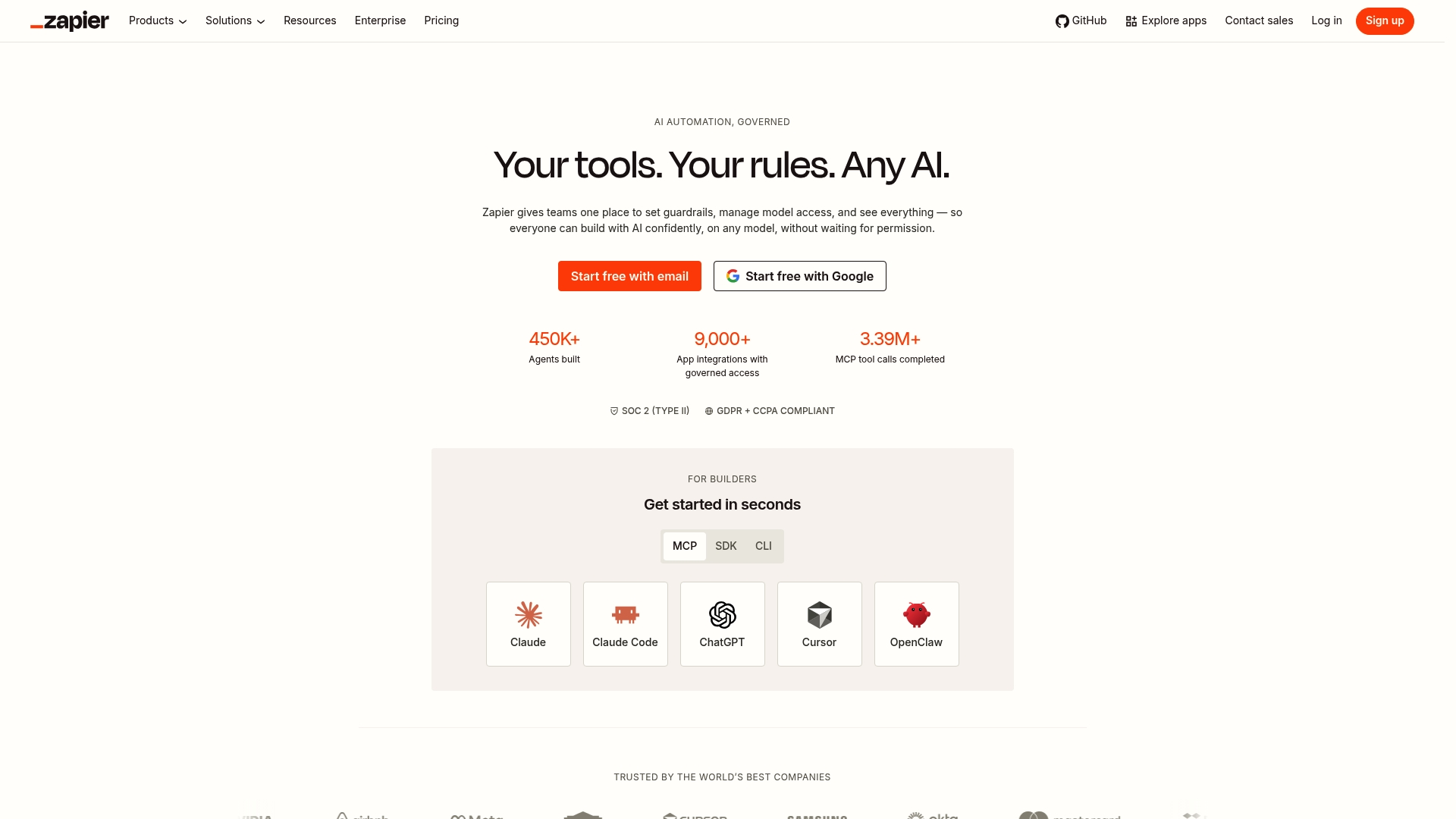
Zapier's marketing materials state it connects over 9,000 apps, a breadth that makes it possible to automate across nearly any commonly used business tool. The platform combines a visual, no code workflow builder with AI helpers, Tables for data storage, and Forms for capture.
Core Features
- Zaps: multi-step and conditional workflows that move data and trigger actions between apps.
- Visual workflow builder with drag and drop logic and branching for if/then flows.
- Tables and custom Forms for storing and routing data without a separate database.
- AI automation tools and assistants to generate steps, map fields, or suggest triggers.
Key Differentiator
The strength here is that breadth. That 9,000-app figure above explains why teams pick Zapier when their stack spans niche tools and mainstream SaaS. The combination of a visual builder plus AI assistance reduces setup time when you need cross-system automations quickly.
Pros
-
Automates handoffs across many apps, which saves time and reduces error when moving leads, tickets, or HR records.
-
The builder is approachable for nondevelopers so business users can own simple automations without engineering support.
-
Large integration coverage means fewer custom connectors or middleware projects for IT to approve.
-
AI features speed mapping and suggest workflow steps, cutting the trial and error in early builds.
-
Governance controls and enterprise options support compliance needs for teams that require audits and user provisioning.
Cons
-
Support quality is a common complaint and response times are often slow, which frustrates teams that need quick fixes.
-
Users report occasional reliability problems and bugs in automations that interrupt critical workflows.
-
Some automation patterns hit functionality limits, so complex orchestration sometimes requires supplements or custom code.
-
Costs escalate as task volume and premium features grow, which can make large scale automations expensive.
-
A strict no refund policy has created dissatisfaction for several customers.
When It May Not Fit
If you need guaranteed SLA level support or onshore, hands-on technical help, Zapier's support model and reported responsiveness make it a weak fit. Heavy duty, mission critical orchestration with millisecond SLA requirements or very complex branching may need a developer platform or private integration layer.
Who It's For
Teams that want to connect a broad mix of apps without building integrations from scratch. Marketing, Sales, Support, HR, and small IT groups that prioritize speed and reach over building custom middleware will see the most value.
Real World Use Case
A marketing team uses Forms to capture leads, Tables to standardize fields, and Zaps to update CRM records then trigger welcome email sequences. The result is fewer duplicated leads and several hours saved each week.
Pricing
Free tier offers basic usage with 100 tasks per month. Paid plans start at $19.99/month for higher task limits and advanced features, with costs rising as you scale tasks and add premium app actions.
Website: https://zapier.com
Analyzing Co-Parenting Communication Tools
Navigating the landscape of co-parenting communication tools calls for carefully examining standout features, accessibility, and compatibility to ensure the best choice for users amidst challenging dynamics.
Comparing Usability for Court-Appropriate Communication
Replycalmly.com showcases a workflow designed for court-admissible communication, combining tone-adjusted response drafting with structured incident logging. This dual functionality allows it to streamline the documentation process, which can be essential for custody hearings. On the other hand, WhiteFlag App, while offering anonymous community-driven mental health support, lacks direct mechanisms for formalizing communications or creating court-tailored records. Zapier Automation Platform, focused on task and system automation, does not target the specific interpersonal challenges of co-parenting communication but can complement technical integrations.
Evaluating Emotional and Practical Support
Co-parenting scenarios often involve heightened emotions, where maintaining objectivity is key. Replycalmly.com’s calm, firm, or concise tone suggestions significantly assist in diffusing tension while preserving professionalism in records. WhiteFlag App fosters emotional support via anonymous peer discussions, which is beneficial post-incident but doesn't address message drafting needs. Zapier Automation Platform, while enabling process automation, does not provide emotive responses or tools tailored for resolving interpersonal disputes.
Best Fit Recommendations
- Replycalmly.com suits those needing consolidated drafting and logging solutions for co-parenting correspondence with adherence to legal standards.
- WhiteFlag App works well for individuals seeking confidential emotional support through peer interaction without financial barriers.
- Zapier Automation Platform benefits tech-savvy co-parents aiming to integrate and streamline their technological tools for efficiency in non-interpersonal tasks.
Our Pick
Replycalmly.com shines in its unique integration of response drafting and structured incident logging, catering specifically to co-parenting situations where court-compliant communication is key. For users prioritizing tools like emotional support separate from formal communication, considering WhiteFlag App is recommended.
Co-parenting Communication Software Comparison
When choosing co-parenting communication software, consider features like drafting assistance, ease of record-keeping, and additional integrations to best meet your custody management needs.
| Product | Core Feature | Key Differentiator | Best For | Notable Limitation | Pricing |
|---|---|---|---|---|---|
| Replycalmly | Drafting court-appropriate responses | Integrated tone options with incident logging | Organizing communication records for custody cases | Companion tool, doesn't replace mandated court systems | Not disclosed |
| WhiteFlag App | Anonymous peer support | Round-the-clock free emotional peer-to-peer interactions | Parents seeking immediate non-clinical support | Limited clinical validation and lack of moderation details | Free |
| Zapier Automation Platform | Business tool automation across apps | Integration breadth with 9,000+ supported apps | Automating workflows between diverse apps | Escalating costs with task volume, support quality varies | Starts at $19.99/month |
Find Court-Ready Calm in Your Co-Parenting Communications
Managing difficult messages during custody disputes can feel overwhelming. The article highlights the need for calm, court-appropriate responses paired with organized incident tracking to reduce stress and protect your legal position. Replycalmly offers exactly that—multiple tailored reply styles crafted to keep you composed while logging every important interaction in one clear timeline.

Don’t let emotional messages derail your focus or complicate your case. Visit ReplyCalmly.com now to access a tool built for co-parents who want to stay organized and confident. Use the platform’s response generator and incident dashboards to turn tense communications into documented, actionable records you can rely on for hearings or counseling.
Frequently Asked Questions
How does Replycalmly support co-parents in managing communication?
Replycalmly offers a response generator that provides multiple tone options—calm, firm, and short—for drafting replies to difficult messages. This proprietary tool helps co-parents create court-appropriate responses while logging each interaction for documentation. Consider using Replycalmly to streamline your communication process in custody disputes.
What is the difference between Replycalmly and WhiteFlag for emotional support?
WhiteFlag offers 24/7 anonymous peer support, allowing individuals to connect with others without revealing their identity. Compared to Replycalmly, which focuses on structured communication and incident logging, WhiteFlag suits those seeking immediate, community-based emotional relief rather than formal documentation. Choose WhiteFlag for quick peer interactions during emotionally charged moments.
Which platform provides better incident tracking for legal preparation, Replycalmly or Zapier?
Replycalmly specializes in incident tracking by logging interactions and categorizing issues like custody conflicts, providing visual dashboards over time. While Zapier automates workflows, it lacks the specific focus on legal documentation that Replycalmly offers, making Replycalmly the better choice for preparing legal cases involving custody disputes.
Can I use Replycalmly if I must follow court-mandated communication tools?
Yes, Replycalmly is designed to work alongside tools like OurFamilyWizard rather than replace them. It serves as a companion tool, enhancing communication without disrupting mandatory protocols. By selecting Replycalmly, you can improve your response strategies while adhering to court expectations.
How does the tone selection feature in Replycalmly benefit users?
The tone selection feature allows users to pick from calm, firm, or short replies, which helps reduce emotional impulses when responding to stressful messages. This ability to tailor responses is especially beneficial for co-parents facing high-stress situations, thereby enhancing communication effectiveness in custody matters.