
If you need court-ready records, move communication to a dedicated custody app today and log every exchange there. Screenshots and text threads are fragile evidence; server-side, timestamped app logs are what judges and mediators actually trust. Replycalmly integrates with court-recognized workflows like OurFamilyWizard to help you document incidents, generate calm replies, and export reports your attorney can use. Every record you create must be consistent, timestamped, and exportable to hold up in court.
Key Takeaways
Moving co-parent communication to a court-recognized custody app is the single most effective step you can take to produce reliable, admissible evidence for mediation, attorneys, or court.
| Point | Details |
|---|---|
| Start logging today | Open an account, invite your co-parent, and record every custody-related exchange in the app from this point forward. |
| Use the feature checklist | Require server-side timestamps, immutable logs, and exportable PDFs with custodian declarations before committing to any platform. |
| Document refusals | If your co-parent won't join, log unilaterally and ask your attorney to file a motion compelling app use. |
| Prioritize safety in high-conflict cases | Disable GPS features, preserve protective orders, and route communication through counsel when direct contact is unsafe. |
| Replycalmly fits the workflow | At $19/month after a 3-day free trial, Replycalmly adds incident tracking, pattern dashboards, and court-ready exports alongside any court-ordered platform. |
Table of Contents
- Why shifting to a custody app protects you legally
- What features make a custody app actually court-ready?
- How to move your communication into the app, step by step
- What to record and how to format entries for court
- How courts treat app records and what makes them admissible
- What to do when your co-parent refuses or the situation is high-conflict
- How Replycalmly supports your documentation workflow
- Typical timeline and what it costs
- What practitioners consistently observe about app-based documentation
- Replycalmly gives you a court-ready record without the guesswork
- Sources
Why shifting to a custody app protects you legally
Moving co-parent communication off personal texts and into a structured app does three things at once: it centralizes your records, lowers the temperature of exchanges, and produces evidence that courts recognize.
- Immutable logs. App messages are stored server-side and cannot be edited or deleted after sending. That permanence is exactly what distinguishes them from screenshots, which any party can crop or alter.
- Conflict reduction. Tone-analysis tools flag hostile language before a message is sent, prompting a rewrite before the exchange escalates. Practitioners report these features cut down on the volume of hostile messages in high-conflict cases.
- Court utility. Family-law attorneys commonly recommend custody apps because structured app use reduces re-litigation and lowers attorney costs over time.
- Single-source exports. One platform covering messages, calendar, and expenses means one export covers multiple dispute types for your attorney, rather than a patchwork of texts, emails, and payment app screenshots.
There is also a behavioral effect worth noting: parents who know a judge may read their messages tend to write more professionally. Courts use structured apps not just to record behavior but to change it.
What features make a custody app actually court-ready?
Not every messaging app qualifies. Before you pick one or ask your attorney to name one in a motion, run through this checklist.
Must-have features
| Feature | Why it matters |
|---|---|
| Server-side, immutable message logs | Cannot be edited after sending; courts prefer these over screenshots |
| Automatic server-side timestamps | Establishes exact time of each message without relying on device clocks |
| Exportable PDF with custodian declaration | Self-authenticates under FRE 902(11); judges recognize the format |
| Shared calendar with read receipts | Proves the other parent saw a schedule proposal |
| Expense ledger with attachment support | Receipts attached at the time of request carry more weight than later claims |
| Robust privacy and access controls | Keeps addresses and personal data out of the other party's reach |
Nice-to-have features
Tone analysis, recorded call exports, GPS check-in (only when no protective order restricts location sharing), attorney portal access, and low-friction account setup all add value in high-conflict situations. Tone moderation is worth paying for when hostility is frequent; a free tier that produces immutable logs may be enough in lower-conflict cases.
Sample motion language: "The parties shall communicate exclusively through [App Name] for all matters related to the minor child, including but not limited to scheduling, medical decisions, and expense requests. Each party shall respond within 24 hours. Costs shall be shared equally."
How to move your communication into the app, step by step
- Decide which app to use. If the court has already named one, use it. If not, check our family court communication software comparison and confirm with your attorney that the platform produces court-recognized exports.
- Create your account and secure it. Use a strong, unique password. Enable two-factor authentication. Review privacy settings before you invite anyone.
- Invite your co-parent. Send the invitation through the app. If they decline, document the refusal in writing and keep a copy.
- Archive prior messages. Screenshot critical prior texts with visible timestamps and save them with context notes. Do not delete originals. These become your pre-app baseline, not your primary evidence going forward.
- Set usage rules. Agree on (or propose in writing) response windows, message categories (schedule, expenses, medical), and a rule that all custody-related communication goes through the app only.
- Attach receipts and photos at the time of the event. A receipt attached the same day carries more evidentiary weight than one uploaded weeks later.
- Run a test export. Before you need it, export a sample PDF and review it with your attorney. Label it as a test exhibit so you know the format works.
Pro Tip: If your co-parent refuses to join, start logging unilaterally anyway. Your one-sided record of proposals, responses, and refusals is itself evidence. Courts often grant motions to compel app use when shown a documented pattern of non-compliance.
What to record and how to format entries for court
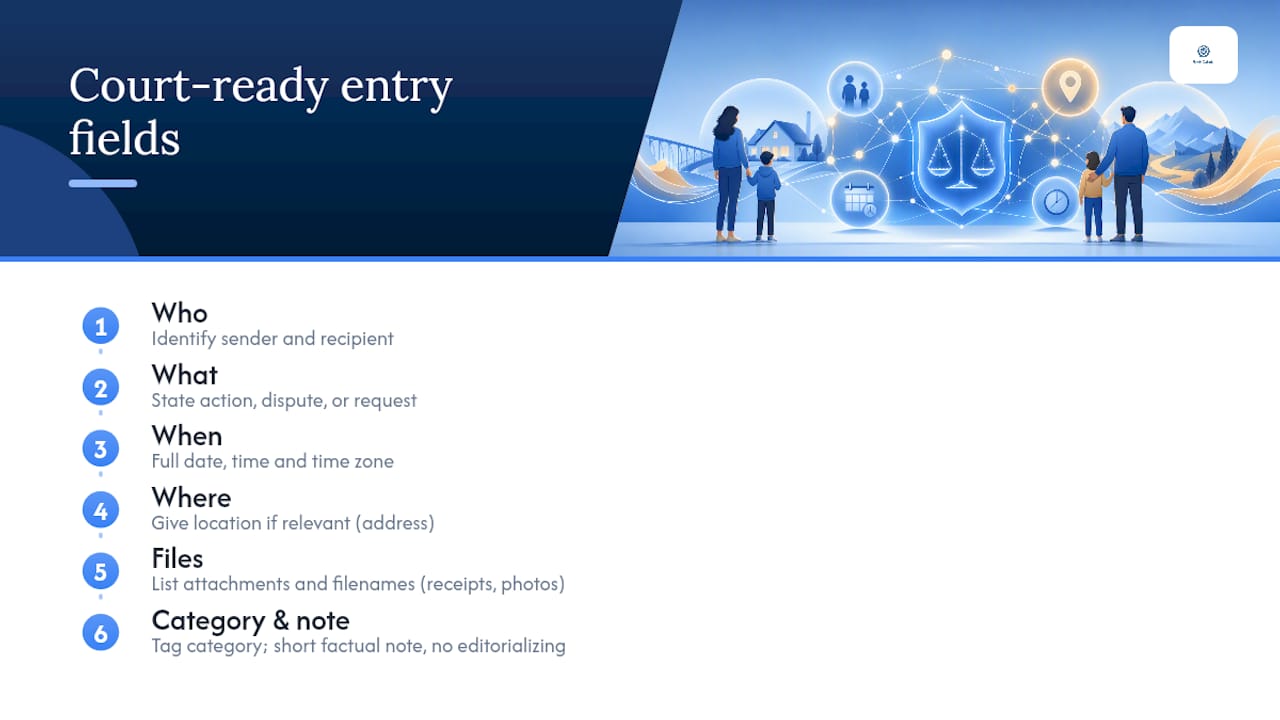
Every entry should answer six questions: who, what, when (include the time zone), where (if location is relevant), what files are attached, and a short factual note with no editorial language.
Schedule change: "October 14, 2026, 9:02 AM CT. Proposed swap: my parenting time Saturday Oct 19 for co-parent's Sunday Oct 20. Awaiting confirmation. [Attachment: none]"
Expense request: "October 15, 2026, 2:15 PM CT. Rivera, Oct 14. [Attachment: receipt_oct14.pdf]"
Pickup dispute: "October 18, 2026, 6:34 PM CT. Arrived at 123 Main St at 6:00 PM per order. Co-parent did not appear by 6:30 PM. Child not transferred. [Attachment: photo of arrival, timestamp visible]"
Categories to maintain: schedule proposals and confirmations, pick-up and drop-off details, expense requests and receipts, medical appointments and outcomes, school communications, and emergencies. Tag each entry by category so exports sort cleanly for your attorney. For a full co-parenting evidence log template, Replycalmly provides ready-to-use formats attorneys find useful when preparing motions.
How courts treat app records and what makes them admissible
The Federal Rules of Evidence matter here. Under FRE 803(6), business records kept in the regular course of activity are admissible as an exception to hearsay. Under FRE 902(11), a custodian declaration certifying that records were automatically retained makes them self-authenticating. Court-recognized apps produce immutable exports with metadata and custodian statements that satisfy both standards far more reliably than screenshots.
What judges look for:
- Timestamps generated server-side, not by the sender's device
- Read receipts showing the other party received the message
- An unbroken chain: no gaps, no deleted entries
- A platform declaration confirming records were automatically kept
Family courts routinely order co-parenting apps in high-conflict cases precisely because these features produce records judges recognize without additional authentication work.
To present records at a hearing: export the full PDF, label each exhibit ("Exhibit A: Message Log, Jan 1 through Oct 31, 2026"), and give your attorney a copy at least a week before the hearing. For contested records, ask the platform for a certified copy or a forensic export. Jurisdictional rules vary. Confirm local filing requirements with your attorney before submitting any exhibit.
What to do when your co-parent refuses or the situation is high-conflict
A judge-ordered app typically names the platform, sets response windows and categories, and treats failure to use it as contempt-eligible noncompliance. That gives you a clear path when the other parent won't engage.
If they refuse to join: Document the refusal in the app or in writing. Continue logging your own communications unilaterally. Ask your attorney to file a motion requesting the court name a specific app and set usage terms. Courts often grant these motions when shown a pattern of non-compliance.
High-conflict safety checklist:
- Preserve any protective orders and share copies with the platform's support team if needed.
- Disable GPS or location-sharing features if your address must stay confidential.
- Request a parenting coordinator or court-appointed monitor when direct communication is unsafe.
- Route all communication through your attorney when contact poses a safety risk.
When parallel parenting is appropriate, courts commonly require written, logistics-only communication through a court-recognized app and limit topics to schedule, expenses, and medical. If you are already in a parallel parenting arrangement, your motion language should reflect those restrictions explicitly.
How Replycalmly supports your documentation workflow
Replycalmly is built for exactly this situation. Its core tools for co-parents who need court-quality records include:
- Calm response generator. Produces calm, firm, or short reply variations for difficult messages, keeping your tone legally defensible.
- Incident and conflict tracker. Log incidents by category (custody conflict, manipulation, false accusations), attach evidence files, and build a timestamped record over time.
- Pattern dashboards. Visualize communication trends so you and your attorney can spot escalation patterns before they become a crisis.
- Court-ready report exports. Generate formatted reports your attorney can use directly in motions or hearings.
- Decree violation detection. Flags messages that may indicate a violation of your custody order.
Replycalmly is designed to work alongside court-recognized platforms like OurFamilyWizard, not replace them. Use OurFamilyWizard (or whichever app the court names) for your primary logged communication, and use Replycalmly to draft responses, track incidents, and generate pattern reports for your attorney. Tell your attorney that Replycalmly exports are supplemental documentation, not a replacement for the court-ordered platform's records.
Pro Tip: In high-conflict cases, use the BIFF method for every message: Brief, Informative, Friendly, and Firm. Replycalmly's response generator applies this framework automatically, so you never have to edit an angry draft yourself.
Typical timeline and what it costs
On cost: widely recognized platforms charge a monthly fee per parent depending on features, with some offering free tiers and others having higher subscription costs. Free tiers exist and still produce court-admissible logs. Replycalmly's full documentation suite runs $19 per month after a 3-day free trial, with a free AI response generator available at no cost.
For cost sharing, propose this language in your motion: "The cost of [App Name] shall be divided equally between the parties, with each party responsible for their own subscription." Many courts grant fee waivers for low-income parents; ask your attorney whether your jurisdiction has a waiver process.
What practitioners consistently observe about app-based documentation
Courts are moving toward structured, exportable app records in high-conflict cases, and the shift is accelerating. What gets underestimated is how much the format of a record matters, not just its content. A well-labeled PDF export with a custodian declaration lands differently in a judge's hands than a stack of phone screenshots, even when the underlying facts are identical.
The other thing worth saying plainly: documentation is not the same as surveillance. Logging every custody-related exchange is appropriate and legally protective. Logging a child's emotional reactions, private conversations, or school performance in granular detail for litigation purposes crosses into territory that judges notice and that harms children. Keep entries factual, logistics-focused, and child-centered.
Consult your attorney before filing any exhibit, and ask them to review your motion language if you are requesting a court-ordered app. Jurisdiction-specific rules on admissibility and cost allocation vary more than most online guides acknowledge.
Replycalmly gives you a court-ready record without the guesswork
High-conflict co-parenting already costs enough in time, stress, and attorney fees. Replycalmly cuts the documentation burden with a response generator that keeps your messages calm and legally defensible, an incident tracker that builds your record automatically, and report exports your attorney can use the same day you send them.

The free tier includes the AI response generator and child messaging tools. The full documentation suite, including pattern dashboards, court-ready exports, and decree violation detection, is $19 per month after a 3-day free trial. Privacy is built in: your data stays secure, and exports are formatted for attorney and court review. See the full feature list and start your free trial at Replycalmly to begin building a record that holds up.
Sources
The following sources informed this article and are worth reading directly if you want deeper detail on admissibility standards, court orders, and parallel parenting frameworks.
- How co‑parenting apps can reduce conflict for co‑parents — Psychology Today
- Court-Approved Co-Parenting Apps and When Judges Require Them - LegalClarity
- Parallel Parenting Apps: The Complete Guide for High-Conflict Co-Parents - Co-Parenting Guide
- Divorce
This article provides general information only and is not a substitute for legal advice. Consult a licensed family-law attorney in your jurisdiction before filing any motion or submitting records to a court.