
Keep custody records because they convert your daily parenting facts into verifiable evidence that courts and mediators use when deciding a child's best interests. A judge cannot weigh what you remember against what the other parent claims. What you can prove, in writing, with dates, wins.
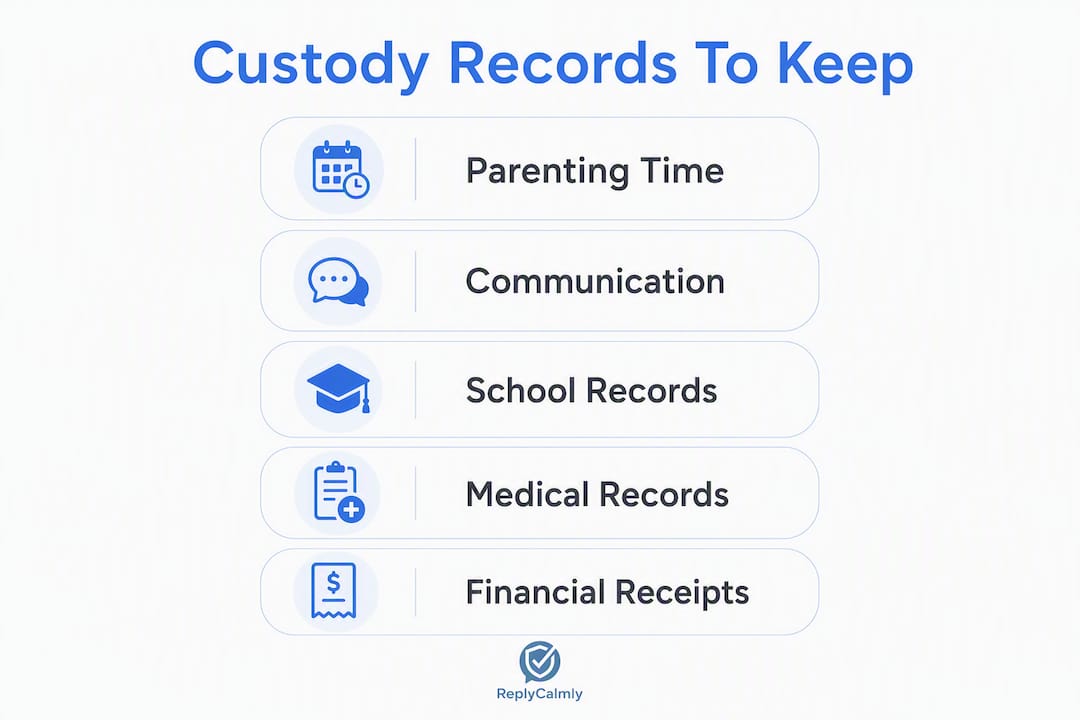
Start tracking these today:
- Parenting-time log: scheduled vs. actual pickup/drop-off times, who was present
- Communication threads: texts, emails, OurFamilyWizard messages (full exports, not screenshots)
- School records: attendance, report cards, teacher communications
- Medical records: appointment dates, diagnoses, who attended
- Payment receipts: child support, medical co-pays, activity fees
Write every entry in neutral, factual language. "Pickup scheduled for 3:00 PM. Child returned at 5:47 PM. No explanation given." That is the standard. Emotional commentary belongs nowhere in a custody log.
TL;DR: If a pattern is forming (missed exchanges, communication breakdowns, financial nonpayment), document it now and call your attorney. If things are stable, keep documenting anyway. Patterns only become visible over time.
Table of Contents
- Why custody records matter in court
- What records should you actually keep?
- How to organize records so they hold up
- Record-keeping mistakes that hurt your case
- How judges and attorneys actually use your records
- Which tools make custody documentation easier?
- A ready-to-use custody log template
- Key Takeaways
- The case for calm, factual records beyond the courtroom
- How Replycalmly helps you build attorney-ready records
- Useful sources for further reading
Why custody records matter in court
Documentation matters because judges rely on verifiable patterns, not impressions. When two parents give contradictory accounts, a neutral, time-stamped record breaks the tie. Courts across all 50 states evaluate custody under the child's best interests standard, and that standard demands evidence of caregiving consistency, involvement, and compliance with court orders — not emotional arguments about who is the better parent.
Third-party records carry the most weight. A school attendance report created by a principal's office for non-legal purposes is far harder to challenge than a log you wrote yourself. Medical summaries, official police reports, and CPS documentation fall into the same category. They were created independently, which makes them easier to authenticate and harder to dismiss.
Parent-created records still matter, but they work best when they are contemporaneous (written close to the event), factual, and consistent over time. A custody journal you started three weeks before a hearing looks like preparation. One you have maintained for eight months looks like a pattern.
Courts also use records for enforcement. If your order says exchanges happen at 6:00 PM on Fridays and your log shows repeated late pickups over a recent period, that log supports a contempt motion. It can also support a modification request if the pattern shows the current arrangement is no longer serving the child. Documentation in custody disputes shapes outcomes precisely because it gives the court something concrete to act on.
Statistic callout: Family law attorneys consistently advise that neutral, third-party records (school, medical, official reports) carry more evidentiary weight than parent-authored materials, because they are created for non-legal purposes and are generally easier to authenticate under Rule 901 analogues applied across U.S. jurisdictions.
What records should you actually keep?
Prioritize records that show patterns and carry third-party verification. Here is a category-by-category breakdown of what courts actually value, and why each type earns its place in your file.
Parenting-time log
Track scheduled vs. actual exchange times, who dropped off or picked up, and any notable circumstances. This is your primary tool for proving compliance or violations. Keep it in a spreadsheet or a dedicated app so entries are timestamped automatically.
Communication records
Save full threads, not cherry-picked screenshots. Export complete email chains with headers. If you use OurFamilyWizard, use its built-in export function to generate a PDF with timestamps intact. Partial threads invite the argument that you removed context.

School records
Report cards, attendance records, teacher emails, and IEP documents all demonstrate involvement. Request copies directly from the school and keep originals. These records are created by a neutral third party, which makes them harder to challenge in court.
Medical records
Document every appointment: date, provider, reason for visit, who attended, and any follow-up instructions. Request copies from the provider's patient portal (MyChart is widely used) and save them in a dedicated folder. If the other parent is consistently absent from medical appointments, that pattern matters.
Financial records
Keep receipts for child support payments, medical co-pays, school fees, and extracurricular costs. Bank statements and payment app records (Zelle, Venmo) work as supporting documentation. If you are the paying parent, these prove compliance. If you are the receiving parent, they document nonpayment.
Photos and videos with timestamps
Timestamped photos showing the child's living conditions, injuries, or involvement in activities can support your narrative. Enable location metadata on your phone's camera. Never alter or crop an image before submitting it.
Police reports and CPS records
If law enforcement or child protective services was ever involved, request official copies. These carry significant weight because they are government-generated records with their own chain of custody.
Witness contacts
Keep names and contact information for anyone who observed relevant events: teachers, coaches, neighbors, family members. You may need them later.
Authentication note: For digital records, preserve the original file, not just a screenshot. Export full email threads with headers. Back up your phone so original message metadata is preserved. Authenticating digital evidence under Rule 901 analogues requires showing the record is what you claim it is, and metadata supports that showing.
Pro Tip: Keep a "do not submit" folder for material you have collected but should not file: angry rants, messages obtained through shared account access, and any audio recording made without the other party's consent in a two-party consent state. Your attorney needs to know this material exists, but submitting it can backfire badly.
How to organize records so they hold up
Organize from day one using a simple, repeatable folder structure with date-first filenames. The format YYYY-MM-DD (for example, 2026-03-14_school-attendance.pdf) sorts chronologically in any file system and reduces attorney prep time significantly.
Folder structure
| Folder | What goes inside |
|---|---|
| 01_Parenting-Time-Log | Spreadsheet or app export of all exchanges |
| — | Email exports, app exports, text backups |
| 03_School-Records | Report cards, attendance, teacher emails |
| — | Visit summaries, prescriptions, portal exports |
| — | Receipts, bank statements, payment confirmations |
| — | Timestamped images and clips |
| — | Police reports, CPS records |
| — | Names, relationships, contact info |
| — | All signed orders, modifications |
Keep originals in every folder. Never submit your only copy. If a document exists only in paper form, scan it and store the scan alongside the original.
Backing up
Use at least two storage locations: a local backup (external hard drive or encrypted USB) and a cloud backup (Google Drive, iCloud, or Dropbox with two-factor authentication enabled). If your phone is your primary documentation tool, enable automatic iCloud or Google Photos backup so nothing is lost if the device is damaged or stolen.
Tamper-evident exports
When you export records from a co-parenting app or email client, save the export file immediately and note the date you created it. Do not edit the file afterward. If you need to highlight something for your attorney, do it in a separate annotated copy and keep the original untouched.
Preparing for your attorney meeting
Before any attorney meeting, prepare a one-page 30-day summary that categorizes the patterns you have observed: missed exchanges, communication gaps, financial issues. Attach an exhibit index (Exhibit A, B, C) with a one-line description of each document. This saves billable time and lets your attorney focus on strategy instead of sorting files.
Pro Tip: Use date-first filenames (YYYY-MM-DD) from the very first document you save. Renaming hundreds of files before a hearing is a painful, avoidable task.
Legal note: In two-party consent states (including California, Florida, and Illinois), recording a conversation without the other party's knowledge may be illegal and can expose you to criminal liability. Check your state's law before recording any call or in-person exchange.
Record-keeping mistakes that hurt your case
Certain record types and presentation choices actively damage credibility. Knowing what to avoid is as important as knowing what to collect.
- Emotional or inflammatory entries. "He showed up drunk and screaming again, what a terrible father" is not a log entry. It is an opinion. Rewrite it: "Pickup at 3:00 PM. Subject appeared unsteady. Speech was slurred. Child appeared distressed." Stick to observable facts.
- Over-collection without curation. Courts distrust unfiltered dumps of angry messages. A binder of 400 texts, most of which are irrelevant, signals that you are trying to overwhelm rather than persuade. Curate exhibits to the specific legal issue at hand.
- Altered screenshots. Cropping, editing, or annotating a screenshot before submitting it as evidence can constitute fraud. If a screenshot is challenged and the metadata does not match, your credibility collapses. Always submit originals.
- Secret recordings in two-party consent states. Even if the recording captures something damaging, it may be excluded and you may face liability. The remedy: use a co-parenting app that logs communications automatically, with both parties' knowledge.
- Missing dates and context. An undated photo or a message with no surrounding thread is easy to challenge. Always preserve context.
- Failing to back up originals. Phones break. Apps get deleted. If your only copy of a key message thread is on a device you no longer have, it is gone. Back up weekly, at minimum.
"A small, curated set of records tied to a timeline is more persuasive than a massive, disorganized collection of angry texts. Courts often view the latter negatively — it suggests the parent is focused on attacking the other party rather than advocating for the child."
— Co-Parenting Evidence Checklist, Co-Parenting Guide
The remedy for most of these mistakes is the same: write less, write factually, and tie every exhibit to a specific legal issue your attorney has identified.
How judges and attorneys actually use your records
Records matter most when they establish a pattern tied to a specific legal issue. A single missed pickup is an incident. A repeated pattern of missed pickups over several months, documented with dates and times, is a pattern that supports a modification motion or a contempt filing.
Here is how that pathway typically works in practice. Say your parenting plan requires exchanges at 6:00 PM on Fridays. Your log shows repeated late arrivals on many Fridays, with no advance notice. You have the exchange log, several text threads showing your attempts to reach them, and school records showing the child arrived late to activities as a result. Your attorney files an enforcement motion. The judge sees a documented pattern, not a he-said-she-said dispute.
Third-party records anchor that pattern. The school records were not created by you. They cannot be dismissed as self-serving. That combination — your contemporaneous log plus neutral third-party confirmation — is what makes documentation persuasive.
"In family law cases, outcomes involving custody and support are rarely based on verbal claims alone. Courts rely heavily on objective proof when evaluating parental fitness, financial responsibility, and the best interests of the child."
— Experts In Family Law
Timing matters. Bring records to mediation in a one-page summary format. At initial hearings, your attorney will decide what to file. At pretrial, exhibits should be indexed and labeled. Share all your records with your attorney before deciding what to file — some material is better held in reserve, and some should never be filed at all.
Judges appreciate a one-page chronology at the front of an exhibit set. It lets them grasp the case in two minutes. Label exhibits A, B, C with a master index. Cross-reference your log entries to the exhibits they support. This is the format attorneys and judges prefer, and it signals that you are organized and focused on the child's welfare rather than on winning an argument.
For a deeper look at how documentation functions in custody cases, the legal mechanics are worth understanding before your first hearing.
Which tools make custody documentation easier?
Use tools that create exportable, time-stamped records rather than ad-hoc screenshots. The difference between a screenshot and an authenticated export is the difference between evidence that gets admitted and evidence that gets challenged.
| Tool category | What it does | Best for |
|---|---|---|
| Co-parenting communication apps | Logs messages with timestamps; many offer PDF exports | Communication records, exchange confirmations |
| Cloud storage (Google Drive, iCloud) | Automatic backup with version history | All categories; tamper-evident storage |
| Phone backup (iCloud, Google Backup) | Preserves original message metadata | Text threads, photos |
| Incident tracking platforms | Tags, categorizes, and exports incidents with attachments | Pattern documentation, court-ready reports |
| Spreadsheet apps (Google Sheets, Excel) | Flexible log format; easy to export as PDF | Parenting-time log, financial tracking |
OurFamilyWizard is a court-mandated co-parenting communication platform used widely across U.S. family courts. Its ToneMeter feature flags inflammatory language before you send, and its message log exports as a timestamped PDF that courts recognize. If your order specifies a communication platform, use it consistently and export records monthly.
Replycalmly works alongside tools like OurFamilyWizard rather than replacing them. Its incident tracker lets you log events with category tags (missed exchange, false accusation, custody conflict), attach supporting files, and visualize patterns over time through a dashboard. The platform generates court-ready PDF reports you can hand directly to your attorney. Its response generator produces calm, firm, or brief reply options for difficult messages, which keeps your communication record neutral. You can explore co-parenting documentation apps to see how these tools compare in practice.
Pro Tip: After exporting records from OurFamilyWizard or another co-parenting app, import the export date and file name into your master exhibit index immediately. That way, your one-page 30-day summary and your exhibit binder stay synchronized without a last-minute scramble before your attorney meeting.
A ready-to-use custody log template
Paste this table into Google Sheets or Microsoft Excel and start filling it in today. Add one row per exchange or incident. Keep entries short and factual.
| Date | Scheduled time | Actual time | Location | Who was present | Notes (factual only) | Exhibit ref. |
|---|---|---|---|---|---|---|
| 2026-03-14 | 6:00 PM | 6:00 PM | — | Mother, child | No advance notice of delay. Child had no dinner. Text sent at 6:05 PM (Exhibit A). | Exhibit A |
Column guidance:
- Date: YYYY-MM-DD format. Sorts automatically.
- Scheduled time: What the court order says.
- Actual time: What actually happened. Note "no show" if applicable.
- Location: The exchange location specified in your order.
- Who was present: Full names. Include any witnesses.
- Notes: One to two sentences, observable facts only. No opinions.
- Exhibit ref.: The label of any supporting document (screenshot, photo, school note).
How to use this log
- Fill in each row as close to the event as possible. Same day is ideal; within 24 hours is acceptable. Reconstructed entries written weeks later carry less credibility.
- Save the file with a date-first filename:
2026-03_Parenting-Time-Log.xlsx. - At the end of each month, export the sheet as a PDF and save it to your
01_Parenting-Time-Logfolder. - When an exhibit is referenced in the Notes column, save that exhibit in the appropriate category folder with a matching label (Exhibit A, Exhibit B).
- Before your attorney meeting, copy the last 30 days of entries into a separate one-page summary document. Add a brief header: dates covered, total exchanges scheduled, total exchanges completed on time, total late or missed.
For a step-by-step co-parenting documentation workflow, including how to convert log entries into exhibit-ready files, that resource walks through the full process.
How long to keep records
| Record type | Minimum retention | Notes |
|---|---|---|
| Parenting-time log | Until child turns 18, plus 3 years | Patterns from years ago can support modification requests |
| Communication records | Until child turns 18, plus 3 years | Older threads establish long-term patterns |
| Financial records | several years minimum | Matches IRS standard; supports support enforcement |
| School and medical records | Until child reaches legal adulthood | May be needed for college, insurance, or legal purposes |
| Court orders | Permanently | Never discard a signed order |
| Police/CPS reports | Permanently | May be needed for future proceedings |
Older records are not always relevant, but they become valuable when a pattern spans years. Archive rather than delete.
Key Takeaways
Keeping custody records is the single most reliable way to convert your daily parenting experience into evidence a court can act on, and the habit costs nothing to start today.
| Point | Details |
|---|---|
| Start a contemporaneous log now | Record each exchange using neutral, factual language and date-first filenames (YYYY-MM-DD) for clarity and organization. |
| Prioritize third-party records | School, medical, and official reports are harder to challenge and carry more weight than parent-authored materials. |
| Curate, don't dump | A small, organized exhibit set tied to specific legal issues persuades a judge; an unfiltered archive of angry messages does the opposite. |
| Prepare a 30-day attorney summary | Before any attorney meeting, compile a one-page summary of the last 30 days with categorized patterns and an exhibit index. |
| Replycalmly supports the full workflow | Replycalmly's incident tracker, pattern dashboards, and PDF report exports help parents build attorney-ready documentation without the organizational chaos. |
The case for calm, factual records beyond the courtroom
Here is something most guides skip: documentation is not just a legal strategy. It is a coping mechanism that actually works.
When you are in a high-conflict co-parenting situation, the urge to respond emotionally is constant. Every late pickup, every ignored message, every missed appointment feels like an attack. Writing it down factually, immediately, forces a pause. You shift from reacting to recording. That shift is protective, both for your case and for your mental state.
The parents who build the most credible records are not the ones who document the most. They are the ones who document consistently and calmly. A judge reading a log full of neutral, dated entries sees a parent who is organized, focused on the child, and not consumed by conflict. That impression matters.
There is also a practical reason to stay calm in writing: your records may be read aloud in a courtroom. Every word you wrote in frustration becomes the other attorney's exhibit. Factual entries protect you from that risk.
One more thing worth saying plainly: coordinate your documentation strategy with your attorney before filing anything. What you collect privately is your business. What you submit to a court becomes part of the record, and some material is better held in reserve. Your attorney knows which exhibits help and which ones distract. Build the record first. Decide what to file together.
How Replycalmly helps you build attorney-ready records
Turning a chaotic message history into organized, court-ready exhibits is the hardest part of custody documentation for most parents. Replycalmly is built specifically for that problem.

The platform's incident tracker lets you log events with category tags (missed exchange, false accusation, schedule violation), attach screenshots or documents directly to each entry, and track patterns over time through a visual dashboard. When you need to share records with your attorney, the PDF report export generates a formatted, dated summary you can hand over at the start of a meeting rather than spending the first 20 minutes explaining what happened.
The response generator handles the communication side. Paste in a difficult message and get calm, firm, or brief reply options that keep your tone neutral and your record clean. That matters because every message you send is also a record.
Replycalmly integrates with existing tools like OurFamilyWizard rather than replacing them, so you can layer its documentation and response features on top of whatever platform your court order already requires.
- Incident tagging and categorization: organize events by type so patterns are visible at a glance
- Attachment support: link screenshots, photos, and documents directly to log entries
- Pattern dashboards: see frequency and category trends over time
- PDF report export: generate a formatted, attorney-ready summary in one click
- Calm response generator: keep outgoing messages neutral and court-appropriate
Start with the free response generator, then use the co-parenting documentation tools to build your 30-day summary before your next attorney meeting.
Useful sources for further reading
These U.S.-focused resources support the guidance in this article and are worth bookmarking for deeper reference.
- Co-Parenting Evidence Checklist: What You Need for Custody Court — Use this to verify which record categories courts prioritize and how to format your exhibit set.
- Why Documentation and Record-Keeping Can Determine Custody and Support Outcomes — A family law attorney's explanation of how objective proof shapes judicial decisions in both custody and support proceedings.
- The Importance of Documentation in Custody Disputes — Covers what records to keep and how to use them effectively, with a focus on court credibility.
- How to Document Everything for Your Custody Case — Practical guidance on file naming, the one-page 30-day summary, and attorney prep; the source for the YYYY-MM-DD filename convention cited in this article.
- Keeping a Custody Journal: What to Record (and What Not To) — Detailed guidance on contemporaneous journaling, what language to use, and what to leave out.
- The Power of Documentation in Custody Cases: Building Your Paper Trail — Explains the therapeutic and legal benefits of factual, contemporaneous documentation.
- Keeping Records for Your Child Custody Case — A practical attorney-authored overview of what records matter and how to present them with confidence.
This article provides general information about custody documentation practices in the United States and is not legal advice. Laws vary by state, and record admissibility rules differ by jurisdiction. Consult a licensed family law attorney in your state before filing any exhibits or making decisions based on your documentation.