
Start a dated, indexed evidence folder today. That single action, done consistently, is what separates parents who walk into court prepared from those who hand their attorney a shoebox of screenshots the night before a hearing.
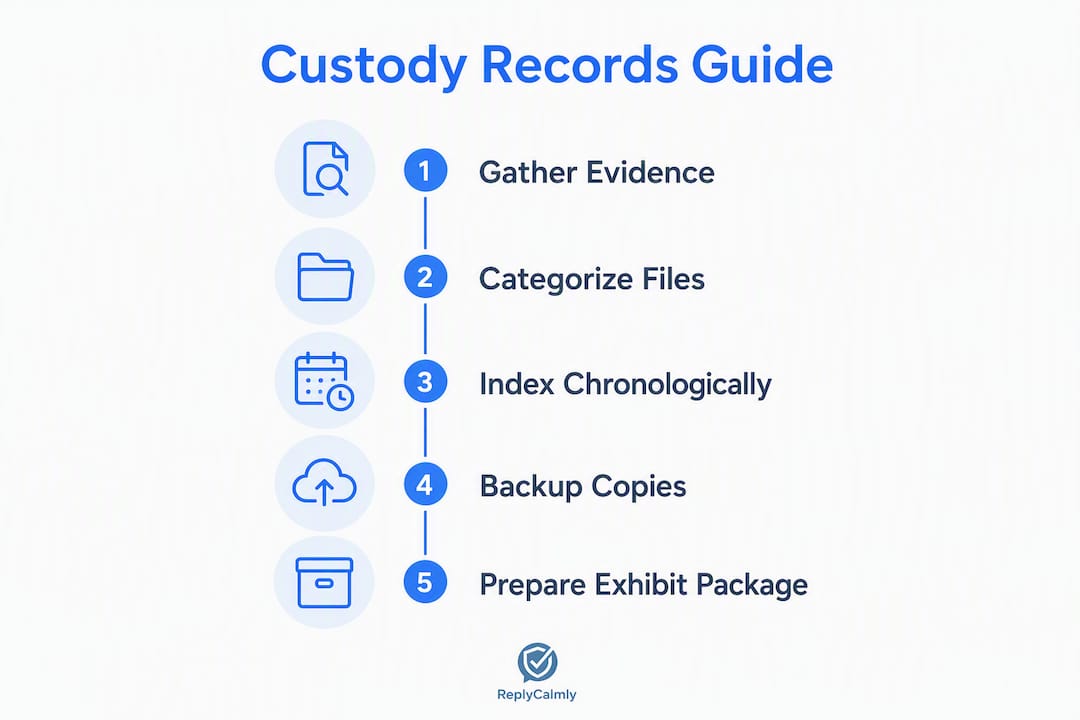
Here is what a minimal, court-ready system looks like: one master folder organized by issue category, a running evidence log in a spreadsheet, and a custody journal with dated entries written in real time. Everything else builds from those three pieces.
The core elements to collect:
- Current court orders, parenting plans, and any filed modifications
- Communication records: texts, emails, and co-parenting app exports
- Parenting-time logs with dates, times, locations, and exchange notes
- School and medical records requested directly from providers
- Financial records: support payments, receipts, and expense documentation
- Photos, videos, and third-party reports relevant to your child's wellbeing
- Witness contact information
Your first 24 hours:
- Create a master folder on your device or cloud storage with top-level subfolders by category (Court Documents, Communications, Parenting Time, School and Medical, Financial, Photos and Evidence).
- Screenshot or export the last 60 days of key message threads in full, without cropping.
- Open a spreadsheet or notebook and write today's first dated log entry.
Your attorney saves time when records arrive indexed and searchable. A judge gains credibility in your account when entries are contemporaneous and factual. Both outcomes start with the same first step.
Table of Contents
- What evidence should you actually collect for a custody case?
- How to build one reliable system for organizing every document
- How do you preserve digital evidence so it holds up in court?
- What should you record in a parenting-time calendar and custody journal?
- How do you prepare and submit evidence to family court?
- How to hand your records to your attorney efficiently
- What tools and templates make this manageable?
- What do courts actually care about, and what mistakes hurt parents most?
- Key Takeaways
- Documentation is hard, but it gets easier
- How Replycalmly helps you build court-ready records without the manual work
- Authoritative U.S. resources and where to check local rules
What evidence should you actually collect for a custody case?
Courts weigh evidence tied to the child's best interests above almost everything else. School attendance records, medical notes, and third-party reports carry more weight than emotional narratives or character arguments. Knowing that shapes what you prioritize from day one.
Court documents
- Current custody order and any temporary orders
- All filed motions, declarations, and responses from both parties
- Proposed and approved parenting plans
- Financial disclosures and income declarations
Request certified copies from the clerk's office rather than relying on email attachments. Certified copies carry evidentiary weight that a forwarded PDF does not.
Communication records
- Full text-message threads (exported, not cropped screenshots)
- Emails printed to PDF with headers intact
- Co-parenting app logs (OurFamilyWizard, TalkingParents) exported in their native format
- Voicemail transcripts or recordings, where your state's law permits
What to avoid: Never edit a screenshot, cut a thread short to remove context, or record a phone call without confirming your state's consent rules. Single-party consent states allow one-party recording; two-party (all-party) consent states require everyone on the call to agree. Check your state's law before recording anything.
School and medical records
Request official copies directly from the school district and your child's providers. Official copies from schools and medical providers are often treated as business records under state evidence rules, which gives them stronger standing than a forwarded note or a screenshot of a portal message. Ask for attendance reports, report cards, therapy notes (where accessible), and immunization records.
Financial records
- Child support payment history from your state's payment processing portal
- Receipts for unreimbursed medical or educational expenses
- Bank statements showing relevant transactions
- Documentation of missed or partial payments
Photos, videos, and third-party reports
Photos are useful when they document a specific concern: living conditions, an injury with a date-stamped image, or a child's emotional state after an exchange. Keep them in a dedicated subfolder and note the date, time, and context in your evidence log. Third-party reports from teachers, therapists, or pediatricians carry significant weight because they come from neutral observers.
Witness information
Maintain a running list of potential witnesses: names, roles (teacher, coach, neighbor), contact information, and a one-line note on what they observed. You may never call all of them, but having the list ready saves your attorney hours of scrambling.
| Category | Priority Items | Minimum Retention |
|---|---|---|
| Court documents | Orders, parenting plans, filed motions | Entire case plus 7 years |
| Communications | Full threads, app exports, voicemails | 2 years rolling minimum |
| School and medical | Official copies from providers | Entire case plus 3 years |
| Financial | Payment records, receipts, statements | 3 years minimum |
| Photos and video | Dated, context-noted files | Entire case |
| Third-party reports | Police reports, therapist notes | Entire case |
If you cannot gather everything at once, start with court documents and communication records. Those two categories appear in nearly every hearing.
How to build one reliable system for organizing every document
Organize by issue category first, then chronologically within each category. This mirrors how legal pleadings and exhibits are structured, and it is what attorneys actually prefer when they open a client folder. A judge reviewing a "Safety Concerns" tab wants every safety-related item in one place, regardless of when each incident occurred.

Master folder structure
CUSTODY_[YOUR LAST NAME]/
  01_Court_Documents/
  02_Communications/
  03_Parenting_Time/
  04_School_and_Medical/
  05_Financial/
  06_Photos_and_Evidence/
  07_Third_Party_Reports/
  08_Witness_Information/
  09_Master_Index/
  10_Originals_Archive/
The 10_Originals_Archive folder is critical. Keep untouched original files there and work only from copies in the other folders. This preserves evidentiary integrity if authenticity is ever challenged.
File naming conventions
Use a date-first format so files sort chronologically within any folder automatically:
YYYY-MM-DD_[short descriptor]_[exhibit ID].pdf
Examples:
2025-11-14_Text_Thread_Pickup_Dispute_EX-047.pdf2025-09-03_School_Attendance_Report_EX-012.pdf2026-01-22_Medical_Visit_Note_EX-031.pdf
Keep descriptors short (three to five words), avoid abbreviations only you understand, and assign exhibit IDs sequentially as you add items to your log.
Building your master evidence index
A master evidence log with consistent fields makes every item immediately usable by your attorney. Build it in Google Sheets, Excel, or any spreadsheet tool. Use these columns:
- Exhibit ID (e.g., EX-001)
- Date/Time of the event or document
- Category (Communications, Parenting Time, etc.)
- Description (one sentence)
- Source (who created or sent it)
- File Path (exact location in your folder)
- Notes (authentication details, relevance flag)
Add a new row every time you save a new item. This takes about 90 seconds per entry and saves your attorney from doing it at their billing rate.
Pro Tip: Keep a "Priority" column in your index with values like High, Medium, or Low. Before any hearing, filter to High-priority items and build your exhibit binder from that list. Your attorney can focus strategy on what matters most instead of sorting through everything.
Backup rules
Follow a three-location rule: one copy on your local device, one in a password-protected cloud folder (Google Drive, iCloud, or Dropbox with two-factor authentication enabled), and one periodic export to an external drive or USB stored somewhere secure. Run a full export snapshot at least once a month and before every hearing.
How do you preserve digital evidence so it holds up in court?
Metadata is the invisible layer of a digital file that records when it was created, modified, and by whom. Courts and opposing counsel can challenge a screenshot that lacks metadata or shows signs of editing. Preserving it correctly is not complicated, but it requires a few specific habits.
Why metadata matters: A timestamp embedded in a photo file, for instance, can confirm the date and time an image was taken, independent of what the file name says. For text messages, the full thread context, including sender names, phone numbers, and timestamps, must be visible and unaltered.
Step-by-step: saving texts, emails, and app logs
- Texts: Use your phone's built-in share or export function when available. For iPhones, apps like iMazing allow full SMS export with metadata intact. For Android, SMS Backup and Restore exports to XML with timestamps. If you must screenshot, capture the full conversation window with the contact name, phone number, and timestamps visible. Never crop.
- Emails: Use "Print to PDF" from your email client (Gmail, Outlook) to save the full message with headers, sender address, date, and recipient. Save the PDF to your Communications folder with the date-first naming convention.
- Co-parenting app logs: Export directly from the app's built-in export function. OurFamilyWizard and TalkingParents both produce timestamped exports. Download the native export file rather than screenshotting the interface.
- Voicemails: Save the audio file if your carrier allows it. Note the date, time, caller ID, and duration in your evidence log immediately after saving.
- Social media posts: Use a full-page screenshot tool (browser extensions like GoFullPage work well) that captures the URL, post date, and account name in a single image. Note the URL and access date in your log.
Chain-of-custody notes
For each digital item you save, add a brief note to your evidence log: the date and time you saved it, the device you used, and whether you made any changes (the answer should always be "none"). This creates a simple chain-of-custody record that your attorney can reference if authenticity is challenged.
Authentication flags for common items:
- Phone screenshots: note the device model and OS version
- Social media posts: record the full URL and the date you accessed it
- Voicemails: note the caller ID and the carrier
- App exports: note the export date and the app version
Pro Tip: Flag any item in your evidence log that you think might face an authenticity challenge. Write "Auth note needed" in the Notes column. Your attorney can then decide whether to request a certified export or prepare a foundation witness.
What should you record in a parenting-time calendar and custody journal?
A contemporaneous custody journal, written in real time, is far more credible than a reconstructed log assembled before a hearing. Judges can detect retroactive entries, and opposing counsel will challenge any log that appears to have been written in bulk. Write short, factual entries as events happen.
What to record after each exchange
- Date, time, and location of the exchange
- Who was present (you, the other parent, any third parties)
- Condition of the child (physical appearance, emotional state, any statements made by the child about their wellbeing, not about the other parent's behavior)
- Any notable incidents: late arrival, missed pickup, items not returned
- A cross-reference to any related exhibit (e.g., "See EX-047, text from 3:12 PM")
Keep entries factual and brief. "Child returned at 7:43 PM, 43 minutes late. Child appeared tired and had not eaten dinner. Other parent did not communicate the delay in advance. See EX-047." That is a complete entry.
Sample custody journal template
| Date | Time | Location | Who Present | Child's Condition | Incident/Note | Exhibit Ref |
|---|---|---|---|---|---|---|
| 2026-03-10 | — | School parking lot | Both parents | Calm, backpack present | On time, no issues | — |
| 2025-11-14 | — | School parking lot | Self only | Tired, hungry | 43 min late, no advance notice | EX-047 |
Dos and don'ts for child statements
Do record what your child says about their own wellbeing in neutral, factual language: "Child said she was hungry when she arrived." Do not record statements that characterize the other parent's behavior as told by the child: courts treat those as hearsay and they can backfire. Do not ask leading questions and then record the answers as spontaneous observations.
Privacy note: keep your journal in a password-protected file or a locked physical notebook. Do not share it with the child or leave it accessible to the other parent.
Converting your log into a one-page timeline
Before a hearing, filter your journal for the most relevant entries, pull the corresponding exhibit IDs, and build a simple two-column table: Date/Event on the left, Exhibit Reference on the right. A one-page timeline tied to exhibits is one of the highest-utility documents you can hand a judge or mediator. It lets them grasp the pattern of events in under two minutes.
How do you prepare and submit evidence to family court?
Turning your archive into a court-ready exhibit set requires attention to format, redaction, and your local court's specific filing rules. Procedural mistakes, wrong file format, missing copies, unredacted sensitive data, can get evidence excluded before a judge ever reads it.
Assembling your exhibit package
Start with your master evidence index as the cover document. Number exhibits sequentially (Exhibit 1, Exhibit 2, or EX-001, EX-002) and list them in the index with a one-line description and the page or file reference. Prepare one complete set for the judge, one for opposing counsel, and one for yourself. Some courts require an additional copy for the clerk; check your local rules.
Bates numbering: For multi-page documents, Bates numbering (sequential page numbers stamped on every page, e.g., SMITH-00001, SMITH-00002) keeps a large exhibit package organized and makes it easy to cite specific pages during testimony. Adobe Acrobat and free tools like PDF24 can apply Bates stamps to a PDF batch.
File format guidance
| Item Type | Preferred Format | Notes |
|---|---|---|
| Documents and texts | PDF (PDF/A for archival) | Flatten layers; confirm text is selectable |
| Photos | JPEG or PNG at original resolution | Do not compress; include EXIF metadata |
| Audio/video | MP4 or MP3 in original format | Provide a written transcript as a companion |
| Spreadsheets | PDF export plus original file | Keep the original for opposing counsel review |
Redaction checklist
Redact Social Security numbers, financial account numbers, and any minor child's full name from documents that will be filed publicly. Use a proper PDF redaction tool (Adobe Acrobat's redaction feature, not just a black rectangle drawn on top). A black rectangle on an unflattened PDF can be removed; true redaction permanently removes the underlying text.
Before you file: local clerk requirements
- Confirm whether your court accepts electronic filing (e-filing) or requires physical copies
- Check the maximum file size for e-filed documents
- Verify the number of physical copies required if filing in person
- Ask whether exhibits must be tabbed, bound, or submitted in a specific order
- Confirm the deadline for serving opposing counsel with your exhibit list
Pro Tip: Call the clerk's office directly, not just the court's website, to confirm current filing requirements. Local rules change, and a clerk's verbal confirmation takes two minutes and can prevent a rejected filing.
Exhibit list template
Your exhibit list should include: exhibit number, date of document, brief description, sponsoring witness (who will authenticate it), and whether it has been stipulated to or is expected to be contested. Your attorney will finalize this, but having a draft ready cuts preparation time significantly.
How to hand your records to your attorney efficiently
Disorganized client files increase billable hours because attorneys end up doing administrative sorting at their hourly rate. A pre-indexed packet lets your lawyer focus on strategy from the first minute of your meeting.
Attorney hand-off checklist
- Complete evidence log (spreadsheet) with all fields filled in
- Prioritized exhibit list: flag your top 10–15 most persuasive items
- One-page case timeline with exhibit cross-references
- Working summaries for each major claim or issue (one paragraph per issue)
- Cover memo (see below)
- Preferred delivery format confirmed in advance (physical binder, shared cloud folder, or stamped PDF export)
Ask your attorney at the first meeting how they prefer to receive evidence. Some want a shared Google Drive link; others want a tabbed binder. Matching their preferred format before you assemble the package prevents re-work on both sides.
Cover memo guidance
Your cover memo should be one page, maximum. Include:
- Case summary (two to three sentences): who the parties are, the current custody arrangement, and the central dispute.
- Timeline highlights (three to five bullet points): the most significant events with dates and exhibit references.
- Outcome sought: one sentence stating what you are asking the court to do.
- High-priority exhibits: a short list of the items you consider most persuasive, with a one-line note on why each matters.
Time and cost note
Attorneys who receive a pre-organized, indexed packet can typically move directly to case strategy in the first meeting. When records arrive unsorted, a meaningful portion of early meetings goes to administrative review. Even a basic index and cover memo can redirect that time toward the legal arguments that actually affect your outcome. Before your first substantive meeting, ask your attorney directly: "What format do you prefer for evidence, and what should I prioritize?" That question alone signals that you are a prepared client.
What tools and templates make this manageable?
You do not need expensive software to build a solid custody record system. A few free or low-cost tools, used consistently, cover most of what a family court case requires.
Secure cloud storage
Google Drive, iCloud, and Dropbox all offer encrypted cloud storage with two-factor authentication. Use a dedicated folder structure (the one outlined above) and share access only with your attorney, not with family members or friends. Set folder permissions to "view only" when sharing with counsel to prevent accidental edits.
Spreadsheet index templates
Google Sheets and Microsoft Excel both work for your master evidence log. Build the index with the columns listed in the organization section above. Google Sheets has the advantage of automatic version history, so you can see when each row was added, which supports the contemporaneous nature of your records.
Timestamped photo tools
Your phone's native camera already embeds EXIF metadata (date, time, GPS coordinates) in every photo. Keep this metadata intact by sharing photos as original files, not through messaging apps that strip metadata. For documenting conditions or injuries, photograph with a newspaper or a handwritten date card in frame as a secondary timestamp.
Co-parenting communication apps
Apps like OurFamilyWizard and TalkingParents create a timestamped, exportable record of every message by design. If your court order requires communication through one of these platforms, use it consistently. The built-in export function produces a formatted record that is already close to court-ready.
How Replycalmly fits into this workflow
Replycalmly is built specifically for the documentation challenge that most co-parenting apps do not fully address: tracking incidents, categorizing conflicts, and generating court-ready reports without manual indexing. The platform's incident tracking and report generation features map directly onto the workflow described in this guide.
Key features for custody record management:
- Incident tracking with category tags: log each incident (missed pickup, false accusation, custody conflict) with a category label, so patterns become visible over time
- Evidence attachment: attach screenshots, photos, or documents directly to each incident log entry
- Pattern dashboards: visualize frequency and category trends across your case timeline, which is exactly the kind of trend summary that supports a court argument
- Exportable indexed reports: generate a formatted, indexed report for attorney hand-off without building the index manually
- Decree violation detection: flag communications or incidents that appear to conflict with your existing court order
- Message response generator: produce calm, firm, or short responses to difficult messages, keeping your communication record professional
Replycalmly also offers ready-made templates and child conversation scripts, which reduce the time spent figuring out how to document sensitive interactions. For parents who want a single platform rather than a collection of separate tools, it replaces the ad hoc spreadsheet, the screenshot folder, and the manual index with one integrated system.
For parents who prefer a DIY approach, a printable exhibit label template and a sample custody journal are available through the evidence log guide on the Replycalmly site.
What do courts actually care about, and what mistakes hurt parents most?
The most common mistake attorneys see is a parent arriving with a stack of unsorted screenshots and no index. The attorney then spends the first hour of a billable meeting sorting material that the client could have organized in an afternoon. Courts prioritize objective, third-party records and demonstrable patterns over emotional accounts. A single dramatic incident, presented without context, rarely moves a judge. A documented pattern of 14 missed pickups over six months, shown in a clean timeline with exhibit references, is a different matter entirely.
What courts prioritize
Courts focus on evidence that speaks to the child's best interests, not to which parent is the better person. School attendance records, medical visit logs, and third-party reports from teachers or therapists carry more weight than a parent's own account of the other parent's behavior. When you organize your records, ask yourself: does this item show something about my child's stability, safety, or wellbeing? If yes, it belongs in your high-priority list.
Patterns beat single incidents
A judge who sees one missed pickup might attribute it to a scheduling confusion. A judge who sees a timeline showing 14 missed pickups, each logged with a date, time, and exhibit reference, sees a pattern. Build your case around trends, not isolated events. Your custody journal and evidence index, maintained consistently over months, are what make that pattern visible and credible.
The cost of disorganization
When records arrive unsorted, attorneys spend time on administrative work instead of legal strategy. That time comes out of your budget and delays the preparation of your actual arguments. A pre-indexed packet with a cover memo and a prioritized exhibit list is one of the most cost-effective things you can do before a hearing. Treat your evidence file as a living project: short, regular updates are more persuasive and less expensive than intense, last-minute reconstruction.
Authentication and credibility
Courts can detect retroactive entries, edited screenshots, and reconstructed logs. Consistent, real-time documentation, with entries that match the metadata of the files they reference, builds the kind of credibility that holds up under cross-examination. Your communication records in custody disputes are only as strong as the process you used to preserve them.
Key Takeaways
A well-organized, indexed evidence packet, built in real time and handed to your attorney in their preferred format, is the single most effective thing you can do to support your custody case.
| Point | Details |
|---|---|
| Start with category-first organization | Sort records by issue (safety, communications, parenting time) before sorting by date to match how courts review evidence. |
| Build and maintain a master evidence log | A spreadsheet with exhibit ID, date, category, description, and file path makes every item immediately usable by your attorney. |
| Write your custody journal in real time | Contemporaneous entries are far more credible than reconstructed logs; judges can detect retroactive writing. |
| Preserve digital evidence without cropping | Keep full threads with timestamps and sender names intact; never crop screenshots or alter metadata. |
| Replycalmly replaces the manual system | Replycalmly's incident tracker, category tags, and exportable indexed reports handle the indexing and pattern documentation that most parents build by hand. |
Documentation is hard, but it gets easier
There is no version of a custody case where documentation feels easy. You are managing a legal process while also parenting, working, and trying to stay steady under real pressure. The parents who come out of this process with the strongest records are not the ones who did everything perfectly from day one. They are the ones who started somewhere, kept going, and updated their files a little at a time.
Small, consistent entries beat a frantic weekend of reconstruction every time. A 90-second log entry the evening after an exchange, a screenshot exported and filed the same day it arrives, a monthly backup run before you go to bed: these habits compound. Six months in, you have a credible, contemporaneous record that your attorney can actually use.
One practical note: before you spend hours assembling a large exhibit package, ask your attorney what format they prefer and which issues they consider highest priority. That conversation, ideally at your first meeting, shapes everything that follows and prevents you from building a binder no one will use.
How Replycalmly helps you build court-ready records without the manual work
Most parents going through a custody dispute already have the evidence. What they lack is a system that keeps it organized, indexed, and ready to hand off without a last-minute scramble. Replycalmly is built to close that gap.

The platform handles the parts of custody record management that eat the most time: logging incidents with category tags, attaching evidence directly to each entry, tracking patterns across your case timeline, and generating an exportable, indexed report your attorney can use immediately. Instead of a folder full of screenshots and a spreadsheet you keep meaning to update, you get a single dashboard that shows what happened, when, and how often.
Features that map directly to what courts and attorneys need:
- Incident tracking with category tags (custody conflicts, missed pickups, false accusations, decree violations)
- Full-thread message capture and archiving
- Evidence attachments linked to specific incidents
- Pattern dashboards that visualize trends over time
- Exportable, indexed court reports ready for attorney hand-off
- Response generator for calm, firm, or short replies to difficult messages
The free response generator is available immediately with no subscription required. The full incident tracker, pattern dashboards, and report exports are available after a 3-day free trial, then $19/month. For parents who want a plug-and-play starting point, the co-parenting documentation template gives you a formatted exhibit and index structure you can use right away.
If you are ready to stop managing custody records by hand, explore the full platform at Replycalmly and see how the documentation workflow fits your case.
Authoritative U.S. resources and where to check local rules
Before filing anything, verify your local court's specific requirements. Rules on file format, number of copies, redaction standards, and exhibit labeling vary by state and county.
Where to check local rules:
- Your state court's official website (e.g., txcourts.gov for Texas) lists local rules, forms, and filing standards
- The clerk's office at your specific courthouse can confirm current requirements for physical and electronic filing
- Your state bar association's practice aid guides often include file management checklists and retention guidance
Useful resources for templates and record requests:
- Your child's school district office: request official attendance and academic records in writing, citing your parental rights under FERPA
- Your child's medical providers: request records directly; note that some states require a specific release form
- The Replycalmly evidence log guide provides a working spreadsheet template and format guidance for custody documentation
- The documentation role in custody cases overview covers admissibility basics and how digital records are evaluated in family court
A final note on privacy: Store your custody records in a password-protected folder or account. Do not share access with anyone other than your attorney. Do not discuss the contents of your evidence file on social media or in messages to the other parent. Sensitive records, including your child's medical and school information, should be shared only as required by court process or attorney instruction.
This article is general information, not legal advice. Custody laws, evidence rules, and filing requirements vary by state and jurisdiction. Confirm current rules with your local court clerk or a licensed family law attorney before filing any documents.