
Parental accountability, in the co-parenting SaaS sense, is a platform-based system that produces court-ready records: immutable server timestamps, certified PDF exports with digital signatures and authentication codes, and custodian declarations that let a judge treat your documentation as authenticated evidence. Courts in high-conflict custody cases increasingly rely on these records because they replace "he said, she said" disputes with structured, verifiable proof. Platforms like Replycalmly, OurFamilyWizard, TalkingParents, AppClose, 2houses, and CoParently all operate in this space, though they differ significantly in what they actually produce for court. Co-parenting apps centralize messages, calendars, and expenses and export certified PDFs with unique authentication codes that courts accept far more readily than a screenshot of a text thread.
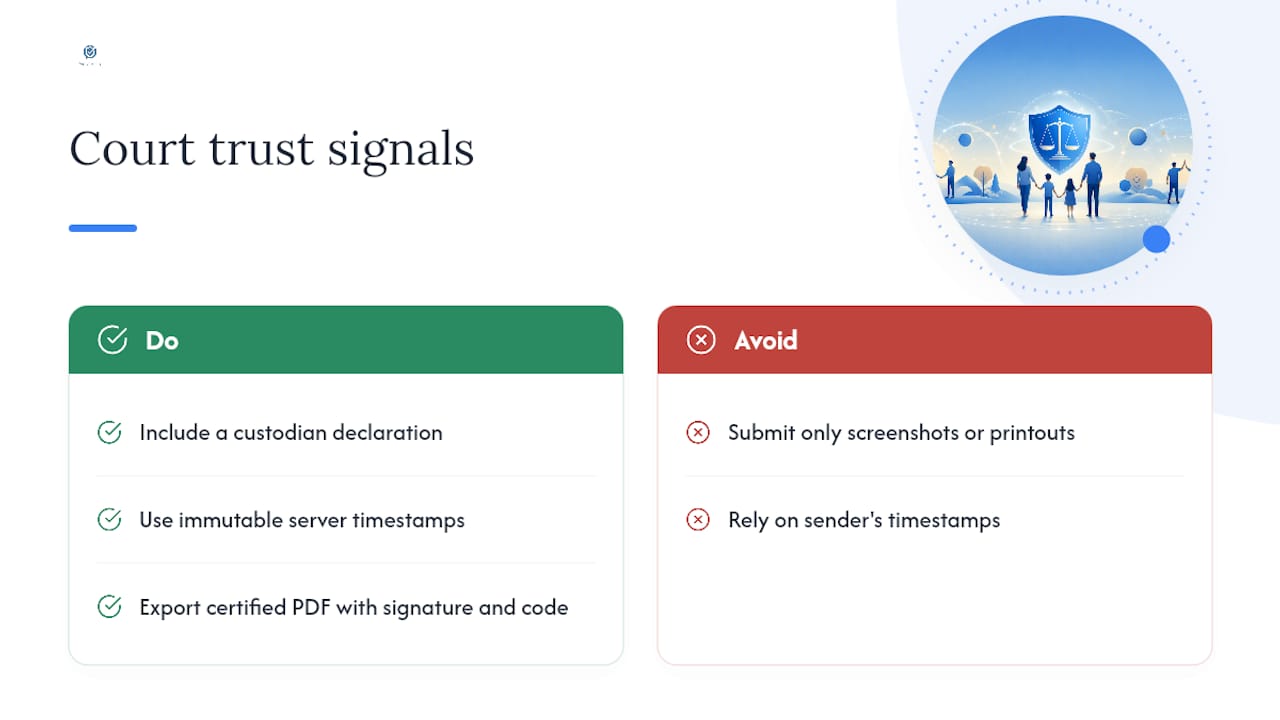
The three trust signals courts look for first: a custodian declaration (a sworn statement confirming the records are unaltered), an immutable server timestamp (the platform's own server writes the time, not the sender), and a digital signature or authentication code embedded in the export. Without all three, your documentation is just a printout.
Key Takeaways
Parental accountability tools produce court-ready records only when used consistently, organized with an index, and exported with a custodian declaration.
| Point | Details |
|---|---|
| Definition | Parental accountability SaaS creates immutable, timestamped, authenticated records for family court. |
| Three trust signals | Courts prioritize custodian declarations, immutable server timestamps, and digital authentication codes. |
| Log same-day | Contemporaneous entries carry more weight than later recollections; attach evidence immediately. |
| Organize, don't dump | An indexed, factually neutral record reads as credible; a one-sided dump reads as advocacy. |
| Replycalmly | Combines an AI response generator with incident tagging, pattern dashboards, and certified court exports at $19/month. |
Table of Contents
- What parental accountability tools actually do for your case
- What the Replycalmly team has learned from high-conflict cases
- Replycalmly gives you the documentation infrastructure courts expect
- Sources
What parental accountability tools actually do for your case
Family-law practitioners report that judges don't evaluate isolated messages. They look for patterns: how consistently one parent responds, how often pickups are missed, whether hostility escalates around hearings. A dedicated platform reveals those patterns in a way a folder of screenshots never can.
Recording incidents the same day matters more than most co-parents realize. A contemporaneous entry carries far more weight than a recollection written three weeks later. Log the date, time, what happened, and who was present. Attach a photo, voicemail, or message screenshot as evidence. Then organize it with a simple chronological index so your attorney or a guardian ad litem can find any exhibit in minutes.

One thing practitioners consistently flag: a one-sided document dump reads as advocacy, not evidence. An indexed, factually neutral record reads as credible. Judges and evaluators weigh specificity, contemporaneous dating, and tone; entries that avoid emotional language and cross-reference exhibits are the ones that hold up.
Courts sometimes order a co-parenting app directly in high-conflict cases, specifying the platform, response deadlines, and compliance expectations. Ignoring a court-ordered app can result in a contempt motion. Orders may stay in place until the youngest child turns 18, and courts can require the higher-earning parent to cover subscription costs.
Co-parenting apps also reduce hostile messaging because both parties know exchanges may be reviewed by a judge. That awareness alone changes tone. Platforms with built-in writing assistance take it further by flagging impulsive language before it's sent.
Pro Tip: Before your next hearing, build a one-page chronology index linking each exhibit to a specific claim. Courts disregard disorganized message dumps; a clean index signals credibility.
What the Replycalmly team has learned from high-conflict cases
Most co-parents come to documentation tools after something goes wrong: a missed exchange, a false accusation, a pattern of harassment that's been building for months. By then, the early incidents are gone or poorly recorded. The real value of consistent use isn't the export you produce for one hearing. It's the pattern record you build over six months that shows a judge exactly how conflict has been managed, or mismanaged, on both sides.
Replycalmly was built around that reality. The AI response generator produces calm, firm, or short reply options so you stay within appropriate communication boundaries even when the other parent doesn't. The incident tracker lets you tag categories (custody conflicts, decree violations, false accusations), attach evidence, and watch patterns surface in a dashboard. None of that replaces a family-law attorney, and no platform can guarantee an outcome. What it does is give you structured, court-appropriate documentation that a judge can actually use.
Replycalmly gives you the documentation infrastructure courts expect

Replycalmly maps directly to what courts require: immutable incident logs with evidence attachments, category tagging for decree violations and custody conflicts, pattern dashboards, and certified report exports with custodian statements. The free response generator is available without a subscription. Full incident tracking, pattern dashboards, and court report generation run $19/month after a 3-day free trial. To get started, have your parenting plan or custody order on hand, note your case details, and invite the other parent through the platform. If a court has ordered a specific app, check whether Replycalmly integrates with it. For co-parents who can't afford a subscription, ask your attorney or the court clerk about fee-waiver options. See the full feature set at Replycalmly's documentation page and start building a record that holds up.
Sources
- Using Our Family Wizard (or Similar Apps) in Court: What Judges Look For
- Co-Parenting Apps: Which Tools Help & When to Use Them
- Court apps for parents: How they work in custody cases - Legal Clarity
- How to document co‑parenting communication for court - Co‑Parenting Guide
- The rise of co‑parenting applications - Lexology