
What are the top getparently.app alternatives for co-parenting communication?
Co-parents managing custody disputes need more than a shared calendar. The strongest getparently.app alternatives combine structured messaging, legally defensible incident logs, and court-compatible documentation in one place. Here is how the leading options compare.
| Tool | Best for | Core features | Communication support | Legal documentation | Ease of use | Pricing |
|---|---|---|---|---|---|---|
| Replycalmly | High-conflict communication and court prep | Response generator, incident tracking, pattern dashboards | Calm, firm, and short reply variants | Categorized incident logs, court-ready records | Clean, minimal interface | Not publicly listed |
| Coparentpro.app | Court-ordered parenting plan compliance | Shared calendar, messaging, expense tracking | Structured messaging | Basic documentation | Moderate | Not publicly listed |
| Legibly.app | Organized legal correspondence | Message archiving, timestamped records | Documented message threads | Strong archiving | Simple | Not publicly listed |
| Parentlio.com | General co-parenting coordination | Scheduling, task sharing, notes | Standard messaging | Limited | Beginner-friendly | Not publicly listed |
| Peaceful Co-Parenting.com | Conflict reduction and co-parent coaching | Guided communication, coaching resources | Tone-focused messaging | Moderate | Accessible | Not publicly listed |
Privacy and secure documented communication are non-optional in this category. Platforms that cut corners on data handling put your legal case at risk. Mobile availability across iOS and Android, along with offline functionality, also matters when you need to log an incident the moment it happens, not hours later.

User reviews for co-parenting apps consistently highlight integrated legal documentation and conflict management as the features that drive the most satisfaction. Tools that lack these tend to get abandoned quickly.
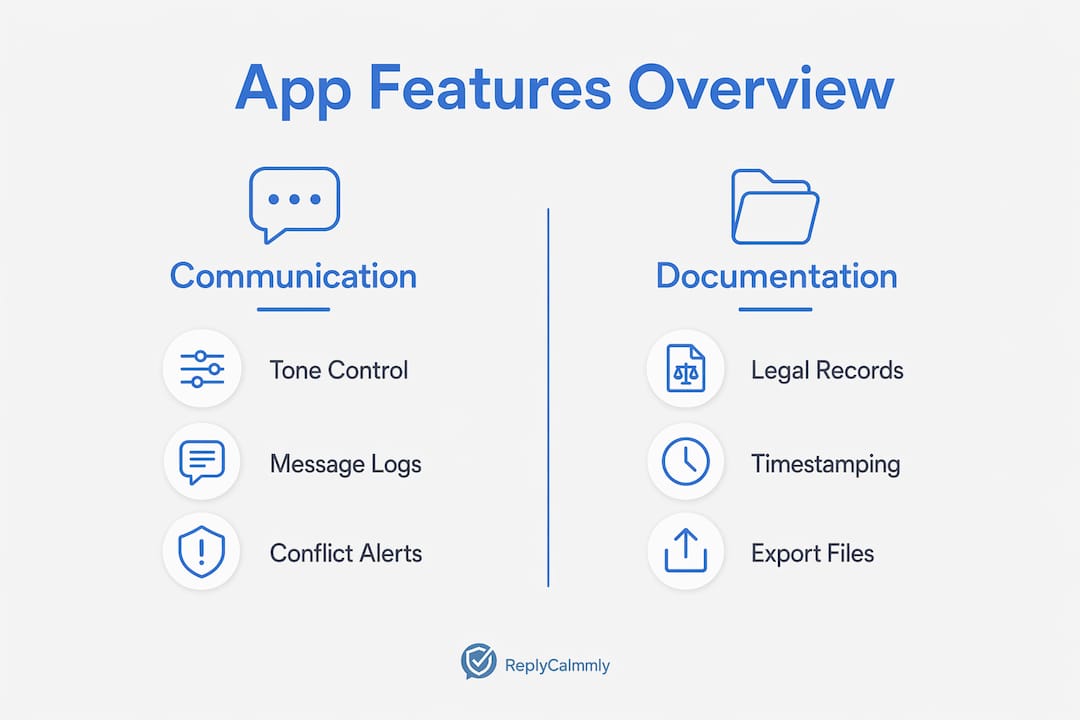
Table of Contents
- How do you choose the right co-parenting app for your situation?
- What types of co-parenting tools exist, and when does each one fit?
- What makes Replycalmly stand out among co-parenting tools?
- How do user reviews compare across these platforms?
- How responsive is customer support across these platforms?
- Key Takeaways
- The real problem with most co-parenting apps
- Replycalmly gives high-conflict co-parents a real communication advantage
How do you choose the right co-parenting app for your situation?
The right tool depends on what is actually breaking down in your co-parenting arrangement. A few questions narrow it fast.
Key factors to evaluate:
- Communication features: Does the platform help you respond calmly under pressure, or does it just pass messages through?
- Legal documentation support: Can you log incidents with timestamps, categories, and exportable records a family court attorney can use?
- Privacy policies: Who owns your data, and can it be subpoenaed? Read the terms before you trust the platform with sensitive details.
- Pricing models: Some tools charge monthly subscriptions; others offer one-time access. Match the cost to how long your custody situation is likely to run.
- Mobile support: You need access on your phone, not just a desktop browser.
- User interface: A confusing app gets abandoned. Simplicity keeps you consistent.
Court compatibility deserves its own attention. If a judge has mandated a specific communication platform, your chosen tool needs to work alongside it, not replace it. Customer support responsiveness and a clear onboarding process also predict whether you will actually use the tool consistently over months or years.
Pro Tip: Before committing to any platform, use the trial or demo to test it against a real scenario from your own custody situation. Generic demos look polished; your actual use case will reveal the gaps.
What types of co-parenting tools exist, and when does each one fit?
Not every parenting app is built for custody management. Most fall into four distinct categories, and confusing them wastes time and money.
Communication-focused platforms are built specifically for co-parents in conflict. They prioritize tone control, message documentation, and court-appropriate language. This is the category where Replycalmly operates, and it is the right fit when communication itself is the problem.
Legal documentation apps center on timestamped records, incident logs, and exportable files. They work best when you are building a case or responding to false allegations. A solid incident tracking checklist is the backbone of this approach.
Scheduling and calendar tools handle logistics: pickup times, school events, medical appointments. Apps like Cozi and Google Family Link serve mainly organizational and digital safety roles rather than custody-specific communication. They are useful for low-conflict arrangements but fall short when legal documentation matters.
AI-assisted parenting companions like JustGrow use child-specific data to reduce manual workload and provide personalized guidance. These tools are built for child development support, not custody disputes. The distinction matters: a generic AI assistant gives generic answers, while a data-aware tool grounds its responses in your child's actual patterns.
Experts note that most co-parenting app users prioritize structured communication and legally defensible incident documentation to manage custody effectively.
For families navigating domestic abuse allegations or parental rights questions in California, the documentation category becomes critical. What you log, and how you log it, can directly affect court outcomes.
What makes Replycalmly stand out among co-parenting tools?
Replycalmly is built for the specific problem most co-parenting apps ignore: what do you actually say when your co-parent sends a hostile or manipulative message?
Replycalmly's core advantages:
- Proprietary response generator: Paste the message you received and get multiple reply options, calm, firm, and short, each crafted for court-appropriate communication. You pick the tone that fits the moment.
- Incident tracking with pattern visualization: Every logged incident gets categorized by type, whether custody conflict, false accusation, or schedule violation, and displayed in a dashboard that shows patterns over time.
- Integration with court-mandated tools: Replycalmly works alongside OurFamilyWizard rather than replacing it, so you stay compliant with court orders while adding a documentation layer.
- Privacy-first design: The platform is built with data security as a foundation, not an afterthought.
- High-conflict specialization: Most co-parenting apps assume a baseline of cooperation. Replycalmly is designed for situations where that cooperation does not exist.
If your custody situation involves California Family Code 3044 or similar domestic abuse-related custody provisions, having a documented communication record is not optional. Replycalmly builds that record automatically as you use it.
How do user reviews compare across these platforms?
Co-parents who leave reviews for custody management tools tend to focus on two things: whether the app held up in court and whether it reduced day-to-day stress. Generic parenting apps rarely get mentioned in either context.
Platforms with integrated legal documentation consistently earn stronger ratings than those focused purely on scheduling. The pattern is clear: when something goes wrong legally, parents remember which tool helped them prove their case. Tools that only organize logistics get forgotten.
Replycalmly's positioning in reviews reflects its specialization. Co-parents in high-conflict situations describe the response generator as the feature they return to most, specifically because it removes the emotional charge from a moment that would otherwise escalate. Coparentpro.app and Legibly.app draw positive feedback for their archiving and scheduling features, while Parentlio.com tends to appeal to parents in lower-conflict arrangements who want a simple shared interface.
How responsive is customer support across these platforms?
Support quality separates tools that work from tools that frustrate. In custody situations, a technical problem is not just an inconvenience. It can mean a missed documentation window or a gap in your legal record.
Replycalmly offers support oriented toward its specific use case, meaning the team understands co-parenting conflict, not just software bugs. That context matters when you are trying to explain why a particular message needs to be documented a certain way. Platforms built for general family coordination tend to offer broader but shallower support, which works fine for scheduling questions but falls short when the stakes are legal.
Response time and channel availability vary across all platforms in this category, and most do not publicly list guaranteed response windows. Before committing, test the support channel directly during your trial period.
Key Takeaways
The strongest co-parenting tools combine communication support, legal documentation, and court compatibility. Generic parenting apps do not cover the needs of co-parents in custody disputes.
| Point | Details |
|---|---|
| Match the tool to the conflict level | High-conflict situations need communication and documentation tools, not just shared calendars. |
| Legal documentation drives satisfaction | User reviews consistently highlight integrated incident logs as the feature that matters most in court. |
| Privacy is non-negotiable | Read the data policy before trusting any platform with custody-related communications. |
| Trial before committing | Use the demo period to test the tool against a real scenario from your own custody situation. |
| Replycalmly's unique position | Replycalmly combines a proprietary response generator, incident tracking, and OurFamilyWizard integration for high-conflict co-parents. |
The real problem with most co-parenting apps
Most co-parenting tools are built for parents who are already cooperating. They assume good faith, shared goals, and a willingness to communicate openly. That assumption fails the moment one parent starts using messages as legal ammunition.
The gap in this market is not scheduling or calendar features. Those are solved problems. The gap is in what happens when a co-parent sends a message designed to provoke, manipulate, or create a paper trail against you. Generic apps pass that message through. Replycalmly treats it as the starting point for a structured, documented response.
Co-parents in high-conflict situations often underestimate how much their own communication style affects their legal standing. A single poorly worded reply, sent in frustration at 11 PM, can be used against you in a custody hearing. Tools that help you slow down, choose the right tone, and document the exchange are not a luxury. They are protection.
The right technology does not replace a good family law attorney. But it gives that attorney something to work with.
Replycalmly gives high-conflict co-parents a real communication advantage
Co-parents dealing with hostile messages, false accusations, or court-mandated communication requirements face a problem most apps were never designed to solve. Replycalmly addresses it directly: paste the message you received, and the co-parent response generator produces calm, firm, and short reply options that stay within legal boundaries.

Beyond the response generator, Replycalmly logs incidents, categorizes conflict patterns, and builds a dashboard record that holds up when your attorney needs documentation. It integrates with OurFamilyWizard so you stay court-compliant without switching platforms. Whether you are dealing with repeated late pickups, schedule change requests, or child support disputes, Replycalmly gives you a structured, professional response every time. Try the response generator free at replycalmly.com and see how it handles your actual situation.