
An incident tracking workflow for court is a structured process for logging, categorizing, and managing communications and events to produce legally credible documentation in custody disputes. Family court judges expect organized, timestamped records, not a pile of screenshots or a vague summary of events recalled weeks later. The difference between a compelling case and a dismissed complaint often comes down to how well you documented what happened and when. This guide explains the core components of a court-ready system, the tools that reduce errors, and the step-by-step process co-parents can start using today.
What are the core components of a court-ready incident tracking workflow?
A court-ready legal incident management system captures five key data points for every significant event: the parties involved, the required action, the date, the person responsible, and the proof. Tracking these five fields per incident creates a complete record that attorneys can review quickly and judges can trust. Missing even one field, such as leaving out who was responsible, weakens the entire entry.
The five fields every incident record needs:
- Parties involved: Name every person present or affected, including the child.
- Required action: State what should have happened under the custody order.
- Date and time: Log the exact date and time, not "last Tuesday."
- Responsible person: Identify who was obligated to act and who actually acted.
- Proof: Attach a screenshot, email, text, or note describing the communication method.
Timing matters as much as content. Same-day logging rules and centralized storage improve courts' acceptance of submitted evidence. A record entered three weeks after an incident carries far less weight than one logged the same evening.
Ownership assignment prevents gaps. When no one is clearly responsible for following up on an incident, deadlines slip and records go incomplete. Active monitoring with a graphical status view showing who owns each item and what the next step is reduces the risk of incidents falling through the cracks. Think of it as a simple dashboard: green means resolved, yellow means pending, red means overdue.
Pro Tip: Set a phone alarm for 9:00 PM each day as your logging reminder. Consistent same-day entries build a credible audit trail that scattered, backdated notes cannot replicate.

What tools and methods can simplify legal incident tracking?
Automation is the single biggest upgrade a co-parent can make to their documentation process. Automated proof-of-service generation reduces documentation errors by 78% by pulling directly from established records rather than relying on manual entry. That number reflects what happens when human memory is removed from the equation.
Here is a practical sequence for building an automated court incident reporting system:
- Create a standard intake form. Use a consistent template with the five fields listed above. A form forces completeness; a blank notes app does not.
- Set triggered deadline calculations. When you log an incident tied to a custody exchange, the system should automatically flag the next scheduled exchange date and any response deadline.
- Build escalation alerts. A three-tier alert structure, at 72 hours, 24 hours, and 4 hours before a deadline, prevents missed deadlines and keeps your attorney informed without constant check-ins.
- Consolidate communication channels. Log incidents from texts, emails, and co-parenting apps into one central record. Fragmented evidence across multiple platforms weakens your audit trail.
- Generate structured proof records. Each proof entry should include the date, parties, communication method, and a clear description. Screenshots alone are insufficient; structured records simplify attorney review and reduce legal fees.
The table below shows how different documentation approaches compare on the criteria courts care about most.
| Documentation method | Timestamp reliability | Attorney review speed | Court credibility |
|---|---|---|---|
| Screenshots in a phone gallery | Low | Slow | Low |
| Notes app with manual entries | Medium | Slow | Medium |
| Structured template with five fields | High | Fast | High |
| Automated system with audit trail | Very high | Very fast | Very high |
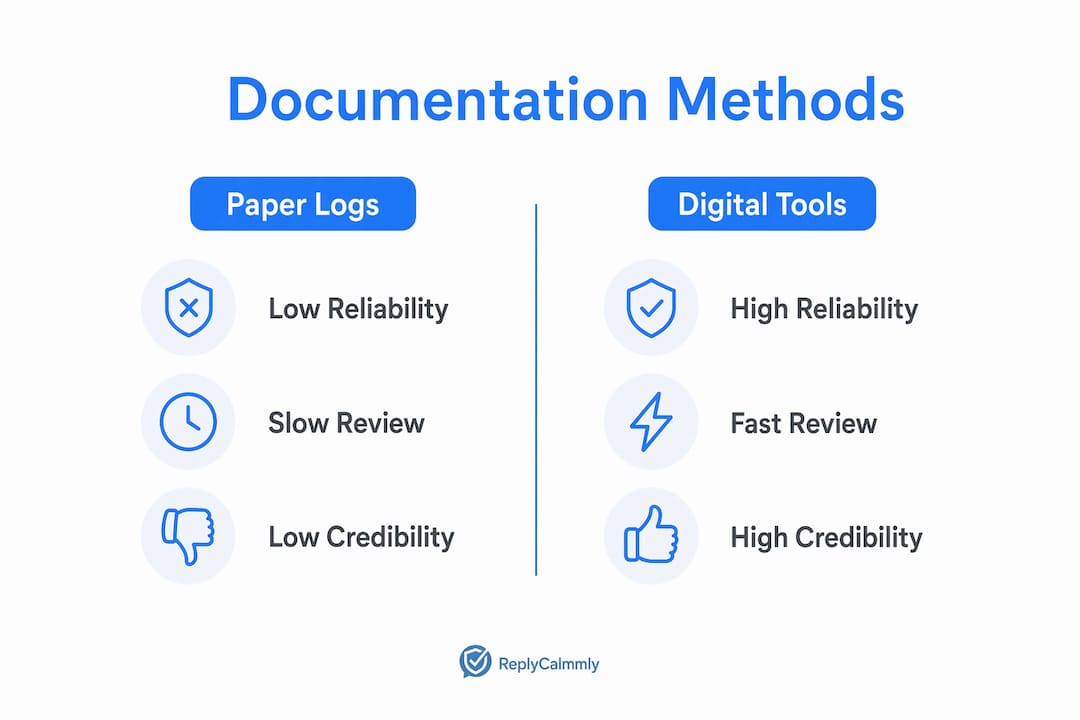
Pro Tip: Link every communication to a structured record immediately after it happens. Waiting even 24 hours introduces memory gaps that opposing counsel will exploit.
How to implement a reliable incident tracking process for custody disputes
A reliable judicial case tracking process starts with a single source of truth. That means one place, one format, and one consistent routine. Co-parents who split records across email folders, a notes app, and a spreadsheet create the exact confusion they are trying to avoid.
Follow this sequential framework to build a process that holds up in court:
- Establish your repository. Choose one platform or app as your central log. Every incident goes there, with no exceptions.
- Log same-day, every day. Set a non-negotiable daily intake routine. Even on days when nothing notable happens, a brief "no incidents" entry confirms the log is active and maintained.
- Categorize immediately. Assign each incident a category at the time of entry: custody exchange conflict, communication failure, schedule violation, false accusation, or safety concern. Categorization turns a pile of entries into a pattern a judge can read.
- Attach proof before closing the entry. Do not save the entry without attaching or describing the supporting evidence. Incomplete entries are worse than no entry because they suggest selective documentation.
- Assign a follow-up action. Note what the next step is: send a written response, notify your attorney, or monitor for recurrence.
- Review weekly. A weekly review catches missed entries and lets you spot patterns before your next court date.
- Export before hearings. Generate a clean, dated export of your log at least two weeks before any court appearance. Your attorney needs time to review it.
The most common mistake co-parents make is delayed entry. Delaying incident entry weakens credibility, and scattered evidence decreases the audit trail value in custody cases. A judge who sees 30 entries logged on the same day, all describing events from the past month, will question the entire record.
A useful categorization template captures who, what, when, where, and impact. "Who" names the parties. "What" describes the specific action or failure. "When" gives the exact date and time. "Where" notes the location or platform. "Impact" explains how the incident affected the child or the custody arrangement. This five-part structure mirrors what structured records need to establish reliability that judges and attorneys trust.
How to troubleshoot common workflow challenges over time
The most damaging pattern in co-parenting documentation is what legal professionals call "email ping-pong": a back-and-forth exchange that generates dozens of messages with no structured record attached to any of them. Consistent logging format turns chaotic exchanges into objective, court-ready records. Without that format, you have noise, not evidence.
Common pitfalls and how to fix them:
- Scattered evidence: Consolidate all channels into one log. If a co-parent texts you, emails you, and leaves a voicemail about the same issue, all three go into one incident record, not three separate entries.
- Missed follow-ups: Assign every open incident an owner and a due date. If you are the only person managing your log, set calendar reminders for each open item.
- No verification step: Before submitting records to your attorney, have a trusted person review the log for completeness. A second set of eyes catches missing fields and inconsistent dates.
- Confidentiality gaps: Store your records in a password-protected app or platform, not in a shared folder or an unlocked phone. Sensitive custody records require the same care as financial documents.
- Reactive rather than proactive tracking: Visibility into incident progress is critical. Lacking it leads to risks and reduces confidence in the entire record.
"Treat incident tracking as a proactive response engine, not passive storage. Immediately categorize and assign accountability after detection. Reactive record-keeping leaves gaps that opposing counsel will find."
Proactive alerts are the mechanical solution to reactive habits. A system that notifies you when a follow-up is overdue removes the burden of remembering. Automated escalation workflows with tiered alerts prevent missed deadlines and keep your documentation current without requiring constant manual attention.
Key Takeaways
A court-ready incident tracking workflow requires same-day logging, five-field records, and a single centralized repository to produce documentation that judges and attorneys find credible.
| Point | Details |
|---|---|
| Log same-day, every time | Delayed entries lose credibility; same-day timestamps are the foundation of a reliable audit trail. |
| Capture five fields per incident | Parties, action, date, responsible person, and proof make each record complete and court-ready. |
| Use one central repository | Fragmented records across apps and folders weaken your case; one platform creates a clean audit trail. |
| Automate escalation alerts | Three-tier deadline alerts at 72h, 24h, and 4h prevent missed follow-ups and keep your attorney informed. |
| Categorize immediately | Assigning a category at entry time turns individual incidents into a readable pattern for the court. |
Why I think most co-parents document too late and too little
Most co-parents I have seen struggle with documentation share the same problem: they start logging seriously only after something goes badly wrong. By that point, weeks of undocumented incidents are gone, and the record looks thin or suspiciously selective. The court notices.
The parents who build the strongest cases treat documentation like brushing their teeth. It happens every day, takes a few minutes, and the habit compounds over time. A six-month log of consistent, timestamped, categorized entries tells a story no single dramatic incident can. It shows a pattern, and patterns are what judges weigh.
The other mistake I see constantly is over-relying on screenshots. Screenshots feel like proof, but they are actually the rawest form of evidence. They require a judge or attorney to read, interpret, and contextualize every image. A structured incident log does that work in advance. It presents the facts in the format the court already expects.
My honest recommendation: start your log today, even if your next hearing is months away. The habit is worth more than any single entry.
— Devin
How Replycalmly supports your incident tracking workflow
Replycalmly is built specifically for co-parents who need to document communications and incidents without spending hours organizing records manually.

The platform logs incidents, categorizes issues such as custody conflicts, manipulation, and false accusations, and visualizes patterns through a dashboard you can export before any court date. It also generates calm, court-appropriate responses to difficult messages, so your replies stay within legal boundaries while your record stays clean. Replycalmly integrates with court-mandated tools like OurFamilyWizard to strengthen accountability without replacing the systems your court already requires. If you are ready to replace scattered screenshots with a structured, defensible record, the best co-parenting documentation app is a practical place to start.
FAQ
What is an incident tracking workflow for court?
An incident tracking workflow for court is a structured process for logging, categorizing, and storing communications and events to produce legally credible documentation in custody or family court cases. It requires timestamped entries, consistent formatting, and a single centralized repository.
How soon after an incident should I log it?
Log every incident the same day it occurs. Same-day logging is the standard that courts and attorneys use to assess record reliability; delayed entries raise credibility concerns.
What information should every incident record include?
Every record should capture the parties involved, the required action, the exact date and time, the person responsible, and attached proof such as a screenshot, email, or description of the communication method.
How does automation help with court incident reporting?
Automated systems reduce documentation errors significantly by eliminating manual entry and triggering deadline alerts. They also schedule follow-ups automatically when a communication attempt fails or goes unconfirmed.
Can I use a regular notes app for custody incident tracking?
A notes app lacks the structured fields, audit trail, and export functions that courts expect. A dedicated co-parenting incident log with consistent templates and timestamps produces far more credible records than freeform notes.