
If you are in a high-conflict custody situation, the single most effective move you can make right now is to start a legal-grade logging workflow paired with a calm-response generator. Replycalmly is built exactly for this. Before your next exchange, run through this checklist:
- Enable immutable timestamps on every captured message.
- Save the original message text, any attachments, and delivery metadata at the moment of receipt.
- Export one sample PDF and send it to your attorney this week.
- Switch to calm-response templates for every reply going forward.
These four steps create a chain-of-custody record that attorneys can actually use. Replycalmly's decree-violation detection and attorney-ready PDF reports mean you are not just saving screenshots — you are building structured evidence.
Pro Tip: Log the message the moment it arrives, not hours later. Courts scrutinize the gap between receipt and documentation. Same-day capture is far harder to dispute.
Table of Contents
- What do parent communication logging tools actually do?
- How to log communications correctly from day one
- How does decree-violation detection work in practice?
- Privacy, security, and admissibility in U.S. family courts
- How to present your logs to an attorney or the court
- How to choose the right logging tool
- How to respond in high-conflict exchanges without escalating
- How long does it take to build an admissible log?
- Key Takeaways
- Why this workflow matters more than most people realize
- Replycalmly gives you a ready-to-use legal logging system
- Useful sources and further reading
What do parent communication logging tools actually do?
Legal-grade parent communication logging tools do more than store messages. They create a verifiable, exportable record that survives scrutiny in mediation, depositions, and trial. The core capabilities that separate a legal-grade tool from a basic messaging app are:
- Immutable timestamps: The system records when a message arrived and when it was logged, and neither party can alter that record.
- Preserved originals and attachments: The full message text, images, voice memos, and documents are stored exactly as received.
- Audit trail and chain-of-custody: Every access, export, and edit is logged so the record's integrity can be demonstrated.
- Categorization and tagging: Incidents are labeled by type (late pickup, prohibited contact, false accusation) so patterns surface quickly.
- Decree cross-referencing: The tool maps logged incidents against specific clauses in your custody order.
- Response-assistant features: A built-in generator produces calm, fact-based replies that are themselves loggable.
Export formats that attorneys expect include authenticated PDFs with embedded metadata, CSV files with timestamps and attachment references, and timeline-annotated court exhibits. A log without a verifiable export format is weaker evidence, regardless of how thorough the content is.
| Export Type | What It Contains | Primary Use |
|---|---|---|
| Authenticated PDF | Timestamps, user ID, capture device, audit log | Court exhibits, attorney filings |
| CSV with metadata | Message text, timestamps, attachment references | Attorney review, pattern analysis |
| Timeline exhibit | Chronological incidents with decree-clause tags | Mediation, hearing presentations |
How to log communications correctly from day one
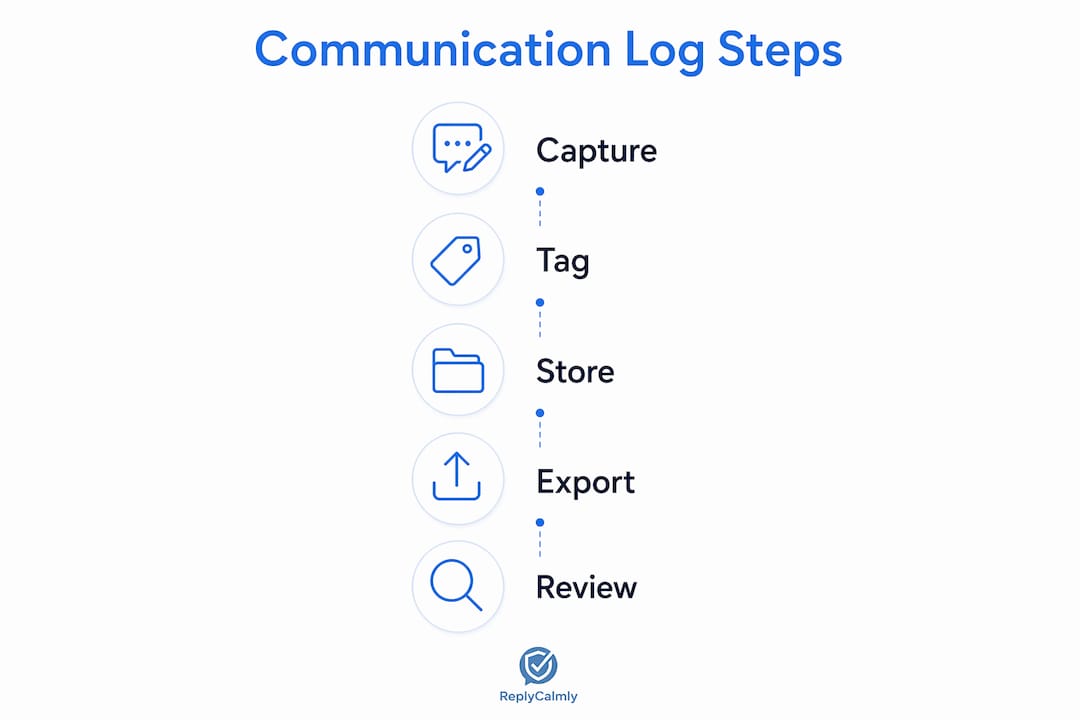
Inconsistent logging is the most common reason a communication record fails to hold up. Capture the original message, attachments, and metadata at the moment of receipt — not from memory an hour later. Here is a repeatable seven-step workflow:
- Create your account and configure your custody order details, including key dates, pickup schedules, and prohibited-contact clauses.
- Enable timestamp locking so every entry is time-stamped at capture, not at submission.
- Capture each incoming message using the app's native capture feature: original text, sender identity, delivery method, and any attachments.
- Tag the incident by category (scheduling conflict, harassment, decree violation, false accusation).
- Add a brief internal note explaining the context and why this message is relevant to your order.
- Verify the entry within 24 hours to confirm all fields are complete.
- Export a sample PDF at the end of day seven and share it with your attorney for feedback.
For each logged message, capture: original text, your reply (if any), all attachments, delivery metadata, and the specific decree clause the message may implicate. Flag something as an "incident" when it involves a direct violation, a pattern of behavior, or a message you expect to reference in a filing.
Pro Tip: Education-focused logging apps have shown that a 2–5 second logging workflow drives consistent use over time. The faster the capture, the better your pattern data will be at 30 and 90 days.

How does decree-violation detection work in practice?
Modern systems cross-reference logged incidents against custody orders by mapping decree clauses to the tags you assign each entry. A clause about pickup times becomes a rule; every entry tagged "late pickup" is automatically checked against it. When the system detects a match, it flags the entry and adds it to a violation dashboard.
Pattern dashboards visualize frequency, escalation points, and timelines. A practical example: if late pickups cluster on alternating Fridays for six consecutive weeks, the dashboard surfaces that pattern as a timeline with dates, timestamps, and decree-clause references. That visualization is far easier for an attorney to present than a folder of screenshots.
Structured systems organize evidence chronologically and by issue type, reducing the burden of proof and making pattern evidence easier to present in mediation or at trial.
Maintain a consistent category taxonomy from day one. If you tag the same behavior as "late pickup" in week one and "schedule violation" in week three, the automated flags lose coherence and become harder to defend under cross-examination.
Pro Tip: Before your first hearing, ask your attorney to review your tag categories. Aligning your taxonomy with the language in your decree makes automated flags directly citable.
Privacy, security, and admissibility in U.S. family courts
Not every logging platform meets the bar U.S. family courts apply to electronic evidence. The technical requirements that matter most:
- Encryption: At-rest and in-transit encryption protects the record from interception and demonstrates good-faith data handling.
- Role-based access control: Only you and your attorney should be able to access the log; no co-parent access to your private notes.
- Tamper-evident logs: Any alteration attempt should be recorded, not silently overwritten.
- Export authentication: PDFs should include embedded metadata (timestamps, capture device, user ID) and an attached audit log showing export history.
Platforms that allow message deletion or editable entries are a serious liability. Legal professionals regularly report that logs with alterable entries get challenged and sometimes excluded as unreliable evidence. Avoid any ephemeral messaging platform for court-oriented documentation.
Court-admissible exports should include a signed or hashed PDF with embedded metadata and an attached audit log showing export history to demonstrate an unbroken chain-of-custody.
Pro Tip: Check your platform's data retention policy before you start. Some services delete data after 90 days by default. For a custody case, you need retention through the life of the proceeding, often 12–24 months or longer.
This article is general information, not legal advice. Admissibility standards vary by jurisdiction; confirm the current rules with a qualified family law attorney for your specific situation.
How to present your logs to an attorney or the court
A clean packet matters as much as the data inside it. Structure your report this way:
- Executive summary: One page describing the logging method, date range, and key findings.
- Method of collection: A short paragraph explaining the platform used, how entries were captured, and how exports were authenticated.
- Authenticated export: The full PDF with embedded metadata attached as Exhibit A.
- Timeline of incidents: Chronological list with event, timestamp, original message excerpt, attachments, tags, and the decree clause implicated.
- Affidavit: A signed statement describing your collection method and attesting to the record's accuracy.
For the timeline itself, use this field structure per entry:
| Field | What to Include |
|---|---|
| Event date/time | Exact timestamp from the platform |
| Original message | Full text, unedited |
| Attachments | File names and types |
| Tags | Category labels assigned at capture |
| Decree clause | Specific section of the custody order |
| Proposed relevance | One sentence explaining why this entry matters |
Attorneys expect authenticated PDFs with metadata, CSV exports for bulk review, and a short affidavit describing collection methods. Replycalmly generates all three. For a deeper look at how courts treat electronic evidence, the Replycalmly blog covers the admissibility landscape in detail.
How to choose the right logging tool
Use this checklist to evaluate any platform before committing:
- Immutable timestamps that cannot be edited after capture
- Export options: authenticated PDF, CSV, and timeline exhibit
- Attachment handling: stores originals, not compressed copies
- Response-assistant: generates calm, firm, and short reply variants
- Audit trail: logs every access and export event
- Integration with court-mandated tools (OurFamilyWizard compatibility)
- End-to-end or at-rest encryption
- Pricing model: freemium entry with full-feature subscription
| Dimension | What to Look For |
|---|---|
| Feature completeness | Immutable timestamps, attachment storage, chain-of-custody export |
| Response-assistant | Multiple tone variants (calm, firm, short), loggable sent replies |
| Integration options | OurFamilyWizard compatibility, export to attorney formats |
| Privacy and security | Encryption, role-based access, tamper-evident logs |
| Reporting | Pattern dashboards, decree-violation flags, timeline exhibits |
| Pricing | Freemium or 3-day trial; $10–$30/month typical for full access |
Replycalmly's subscription is $19/month after a 3-day free trial, which sits squarely in the typical range for full incident tracking and export capability. Integration with OurFamilyWizard means you can use Replycalmly alongside a court-mandated platform without replacing it.
Pro Tip: Run a test export on day one of your trial. If the PDF does not include embedded timestamps and a user ID, the platform will not meet most attorneys' evidentiary standards.
How to respond in high-conflict exchanges without escalating
Response-assistant features strip inflammatory language and enforce brevity, which produces neutral, fact-based replies that hold up well as evidence of good-faith communication. Use these template patterns for common scenarios:
- Late pickup: "Per our order, pickup was scheduled for [time/date]. Please confirm your revised arrival time."
- Schedule change request: "I received your request to modify [date]. I will respond by [date] after reviewing the order."
- False accusation: "I disagree with that characterization. My records reflect [specific fact and date]."
- Information request: "I can provide [specific item] by [date]. Please confirm receipt."
Follow these usage rules:
- Use the calm-response generator for any message that provokes an emotional reaction before you type a single word.
- Log the incoming message first, then generate your reply.
- If the message involves a threat, a safety concern, or a direct legal violation, log it and contact your attorney before responding at all.
- Pair every sent reply with a logged internal note explaining your intent. That note rebuts later claims that your reply was provocative.
Pro Tip: When both parties know communications are being tracked, baseline civility often improves and impulsive messaging decreases. Visible accountability changes the dynamic before any court filing.
How long does it take to build an admissible log?
Realistic timelines for building usable evidence:
- Initial setup: 1–2 hours to configure your account, enter custody order details, and set up your tag taxonomy.
- Days 1–14: Validate your workflow. Confirm timestamps are locking, attachments are saving, and exports look correct.
- Days 15–90: Pattern data accumulates. By day 30, a dashboard showing recurring violations is often presentable to an attorney.
For an urgent filing within 24–72 hours, export your existing entries as an authenticated PDF, annotate the timeline with decree-clause references, and attach a one-page affidavit. That package is a usable preliminary exhibit even before a full pattern develops.
Pricing across the category typically runs $10–$30/month for full incident tracking and export access. Replycalmly's free tier includes the response generator and child messaging tool, with the full documentation suite available at $19/month after the 3-day trial.
Key Takeaways
Legal-grade parent communication logging tools require immutable timestamps, authenticated exports, and a consistent tagging taxonomy to produce court-ready evidence.
| Point | Details |
|---|---|
| Capture at receipt | Log the original message, attachments, and metadata the moment it arrives, not from memory later. |
| Authenticate your exports | Use PDFs with embedded timestamps, user ID, and an audit log to satisfy chain-of-custody requirements. |
| Tag consistently | Align your category labels with your decree's language so automated violation flags are directly citable. |
| Use calm-response templates | Generate neutral, fact-based replies and log each one with an internal note explaining your intent. |
| Replycalmly recommended | Replycalmly provides immutable logging, pattern dashboards, decree-violation detection, and authenticated exports at $19/month after a 3-day free trial. |
Why this workflow matters more than most people realize
The conventional wisdom in high-conflict custody cases is to "document everything." That advice is right but incomplete. Documentation without structure is just a pile of screenshots. What courts and mediators actually respond to is organized, timestamped, exportable evidence that tells a coherent story about a pattern of behavior over time.
The calm-response side of this workflow is equally underestimated. Every inflammatory reply you send becomes part of the record too. A response generator is not a crutch — it is a discipline tool that keeps your side of the record clean. Attorneys notice when one parent's messages are consistently factual and brief and the other's are not.
The gap between "I saved some texts" and "I have an authenticated, decree-referenced log with 90 days of pattern data" is the gap between a weak filing and a strong one. The workflow described here closes that gap, and it takes less than two hours to set up.
Replycalmly gives you a ready-to-use legal logging system
High-conflict co-parents who need court-ready documentation and calm replies have a concrete option: Replycalmly's documentation platform combines immutable incident logging, decree-violation detection, pattern dashboards, and an authenticated PDF export in one place. The response generator produces calm, firm, and short reply variants so your side of every exchange stays clean and presentable.

The free tier lets you test the co-parent response generator immediately, with no commitment. The full documentation suite, including incident tracking, pattern dashboards, and court-ready exports, is $19/month after a 3-day free trial. Create your account, run a sample export on day one, and share it with your attorney. That single step will tell you exactly what you have and what you still need to build.
Useful sources and further reading
The sources below informed this article and are worth bookmarking for your attorney or for your own reference.
- The Role of Communication Logs in Custody Disputes — Replycalmly's analysis of what attorneys look for when evaluating message evidence in custody proceedings.
- Building a Communication Log Guide for Co-Parents — Step-by-step field guidance and sample export examples for parents ready to implement a logging workflow.
- How to Document Co-Parenting Issues for Court — Includes sample affidavits and export walkthroughs aligned with the workflow in this article.
- Legal Communication Best Practices for Custody Cases — Attorney-perspective guidance on storing and presenting electronic communications in family court.
- Law Offices of Anna Din — Family Law Blog — Attorney-authored commentary on custody documentation, admissibility, and co-parenting legal strategy.
- ShortHand — Teacher's Assistant for Parent Communication — Illustrates how fast, consistent logging (2–5 seconds per entry) drives better pattern data; the same principle applies to co-parenting tools.
- Otus Progress Monitoring — Demonstrates structured, chronological evidence organization in an adjacent field; useful for understanding how pattern-based documentation reduces burden of proof.
For jurisdiction-specific admissibility questions, consult a licensed family law attorney in your state. Admissibility standards for electronic logs vary by court and judge, and no platform substitutes for qualified legal counsel.