
Use three short reply tones (calm, firm, short), keep one running log as your single source of truth, and file new entries weekly. That combination is what turns a messy custody dispute into a record a judge can actually read.
If you're dealing with a hostile co-parent right now, do this in the next 30 minutes:
- Screenshot or export your last 60 days of messages before anything gets deleted or an account gets locked
- Turn on cloud backup for your phone so texts and photos aren't sitting on one device
- Pick one place, a folder, an app, a notebook, where every future entry will live
- Decide which of the three tones fits your next reply before you type a single word
Handle safety first. If a message threatens harm, preserve it untouched and step back before you respond. Preservation comes second. Calm, well-worded replies come third, but they matter just as much over time, because a structured communication guide for lawyers and co-parents alike really comes down to consistency: the same tone, the same log, the same habits, applied every single time someone sends you something you didn't ask for.
Key Takeaways
Calm, structured replies paired with one consistent incident log are what convert a chaotic custody dispute into a record a court can actually trust.
| Point | Details |
|---|---|
| Match tone to goal | Use calm to de-escalate, firm to set boundaries, and short when minimizing your written record matters most. |
| Preserve, don't edit | Keep full message threads and original devices; cropped screenshots and deletions can trigger adverse inferences. |
| Log every incident the same way | Include date, who, what, where, context, witnesses, attachments, and a chain-of-custody note each time. |
| Package reports for speed | Lead with a one-page summary, then labeled exhibits in date order, not a folder of raw files. |
| Know when to stop replying | Threats, safety risks, or abuse allegations mean pause, preserve, and call your attorney immediately. |
| Automate the habit | Replycalmly's reply generator and incident tracker turn this entire workflow into a five-minute weekly routine. |
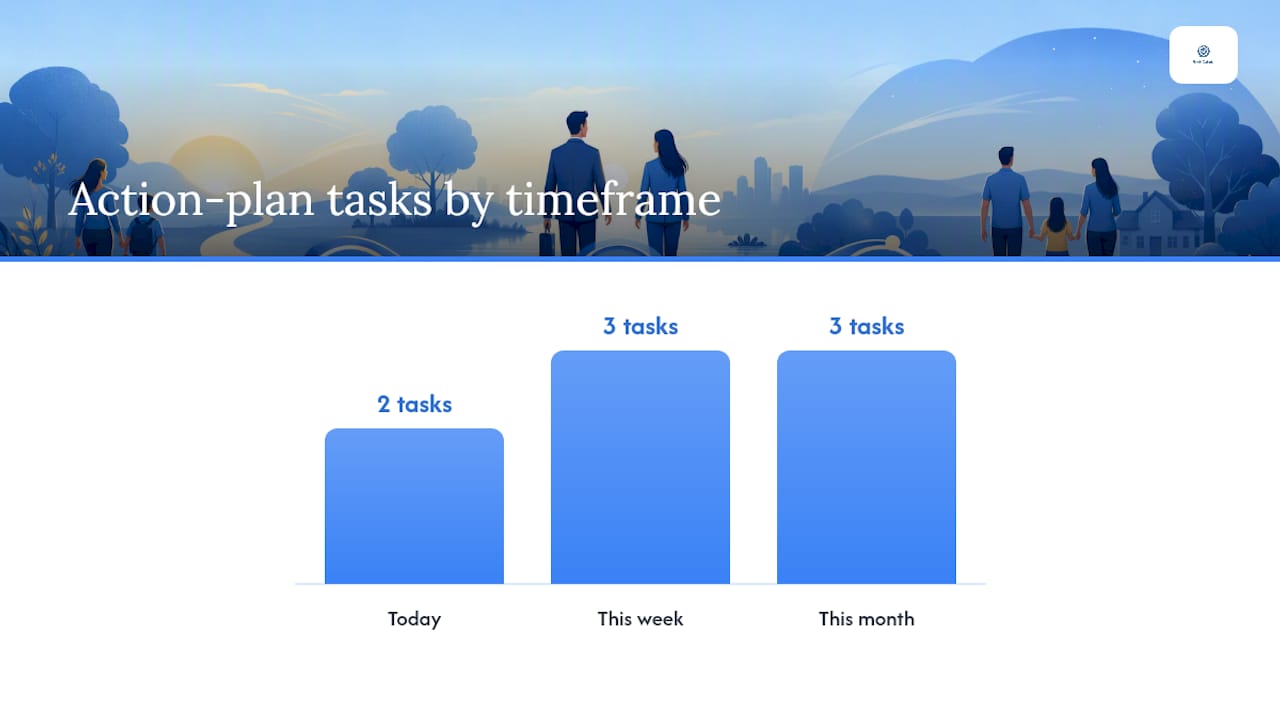
This week's action plan:
- Today: Preserve your last 60 days of messages and confirm cloud backup is running.
- This week: Pick one log location, set up your six categories, and file anything outstanding.
- This month: Export your threads, build a one-page summary, and label your first set of exhibits.
Consult your attorney before filing any exported report, particularly if authentication or admissibility questions come up in your jurisdiction.
Table of Contents
- Why Court-Appropriate Communication Actually Changes Case Outcomes
- Court-Safe Reply Templates for Calm, Firm, and Short Responses
- What Should a Court-Ready Incident Log Actually Contain?
- Turning Your Log Into a Report a Judge Will Actually Read
- Choosing a Secure Platform for Your Communication Records
- When Should You Stop Responding and Call Your Attorney?
- How ReplyCalmly Turns This Playbook Into a Daily Habit
- Best Practices for Syncing Records Across Devices and Platforms
- Onboarding a Legal Team to a Structured Communication Process
- Are Digital Communication Logs Admissible in Custody Court?
- What Practitioners See Go Wrong, and What Actually Works
- Get Court-Ready Records Without the Guesswork
- Sourced Reading and Tools for Going Deeper
- Sources
Why Court-Appropriate Communication Actually Changes Case Outcomes
Judges don't decide custody cases on a single ugly text. They decide based on patterns, and that distinction changes how you should be writing every message you send.
Family court evaluators reviewing months of correspondence consistently favor the parent whose messages stay calm, child-focused, and factual over one who reacts emotionally, even when the emotional parent had a legitimate grievance. Three things drive this:
Patterns outweigh incidents. A single nasty text from your co-parent doesn't sink their case, but a six-month thread showing repeated late pickups or persistent disparagement does real damage. The same logic protects you, provided your own record is clean.
Authenticity beats volume. A judge trusts an unedited, timestamped export far more than a folder of cropped screenshots, regardless of how many screenshots you have.
Calm replies defuse provocation on paper. When your co-parent sends a hostile message and your reply stays factual and brief, the contrast does the arguing for you.
Attorneys who review custody files repeatedly note that the parent who "sounds reasonable on paper" across dozens of exchanges tends to be viewed as the more cooperative, child-centered parent, independent of who was actually right in any single dispute.
Courts increasingly expect this kind of contemporaneous documentation rather than a parent's memory of events months later. Keeping organized, factual records as things happen, not after a hearing gets scheduled, is what separates a credible file from a reconstructed one.
Court-Safe Reply Templates for Calm, Firm, and Short Responses
Pick your tone based on your goal, not your mood. Calm de-escalates. Firm sets a boundary without inviting a fight. Short minimizes what you're putting on the record when a topic is already contentious or your attorney has told you to limit engagement.
Calm tone (use when you want to keep things cooperative or reduce tension):
- "I understand you'd like to adjust the pickup time. Let's confirm 5:30 PM works for both of us so we're on the same page."
- "Thanks for letting me know about the schedule conflict. I can take her Thursday instead. Does that work for you?"
- "I hear your concern about the dentist appointment. I'll confirm the time with the office and send it over today."
Firm tone (use when a boundary is being tested or a pattern needs to be named):
- "The custody order specifies 6:00 PM drop-off. Please plan to arrive on time going forward."
- "This is the third late pickup this month. I need us to follow the schedule as written in the agreement."
- "I won't be discussing that topic over text. Please direct legal or financial questions through our attorneys."
Short tone (use when you want minimal engagement and a clean record):
- "Confirmed. See you at 6."
- "Received. I'll follow the order as written."
- "Noted."
To pick a tone fast, run through this checklist before you hit send:
- What's my actual goal here: cooperation, a boundary, or just acknowledgment?
- Is there any safety concern in this exchange?
- Could this reply be read as evidence later, and does it hold up if it is?
- Does responding at all raise my risk of escalation?
Pro Tip: Before sending anything, ask yourself if you'd be comfortable reading it out loud in front of a judge. If the answer is no, rewrite it until it is. Court-safe email examples and text response templates can give you a starting point when you're drafting under stress.
What Should a Court-Ready Incident Log Actually Contain?
Use one running log, organized into six categories: communications, exchanges, decisions, expenses, incidents, and wellbeing notes. Everything else, the folder structure, the naming convention, the backup habit, exists to support that single log.
Every entry needs these fields:
- Date and exact time of the event
- Who was involved (name, relationship to the child)
- What happened, described factually without editorializing
- Where it occurred (location, or which platform if it was a message)
- Context or what led up to it
- Any witness present
- Attachments (screenshot, photo, recording, receipt)
- A one-line chain-of-custody note (how and when you preserved it)
| Field | Example Entry |
|---|---|
| Date/Time | March 14, 2026, 5:47 PM |
| Who | Co-parent, at scheduled pickup |
| What | Arrived 47 minutes late, no advance notice |
| Where | My residence, front porch |
| Context | Third late arrival this month, no prior communication |
| Attachments | Text thread screenshot (full, uncropped), doorbell camera timestamp |
| Chain of Custody | Exported from phone same evening, backed up to cloud folder |
Preserve full message threads rather than cropped screenshots, since selective preservation can create adverse inferences if a court later suspects you edited something out. Keep original devices when possible, export directly from apps rather than retyping content, and back up everything to the cloud the same day it happens.
If a verbal agreement happens at pickup, confirm it in writing within the hour: "Confirming we agreed Thursday's exchange moves to 5 PM." That single habit converts a conversation nobody else heard into a dated written record.
Turning Your Log Into a Report a Judge Will Actually Read
Package your log as a one-page chronological summary followed by labeled exhibits in date order. Judges and mediators do not want raw files; they want a short narrative they can absorb in five minutes with backup evidence they can check if needed.
A workable report outline looks like this:
- Executive summary: one paragraph stating the pattern and timeframe
- Timeline: dated entries in chronological order, each cross-referenced to an exhibit
- Categorized exhibits: labeled Exhibit A, B, C in the order referenced
- Authentication notes: how each exhibit was obtained and preserved
- Witness list: anyone who can corroborate specific entries
| Timeline Entry | Cross-Reference |
|---|---|
| March 3: Co-parent texts refusing scheduled call | Exhibit A: message thread |
| March 3: I confirm receipt in writing | Exhibit A (same thread) |
| March 10: Late pickup, 47 minutes | Exhibit B: doorbell timestamp, text log |
| March 18: School absence during co-parent's custody | Exhibit C: attendance record |
Third-party records like school attendance or medical files carry more weight than personal notes because they're neutral and harder to dispute. Attach them whenever they exist. A documentation platform that exports custodian-certified PDFs saves hours of manual formatting when a hearing date lands with two weeks' notice.
Choosing a Secure Platform for Your Communication Records
Prioritize immutable exports and clear custody declarations over flashy features. Encryption matters, but what actually protects you in court is a platform that can prove your records weren't altered after the fact.
Check for four things in any tool you're considering:
- Immutable timestamps that can't be edited retroactively
- Exportable PDFs with custodian statements explaining how the record was generated
- Audit logs showing who accessed or exported what, and when
- Two-factor authentication protecting your account from unauthorized access
Court-mandated platforms typically bundle messaging, expense tracking, and shared calendars into one system precisely so exports carry more authentication weight than a personal phone screenshot. If your custody order specifies one of these tools, route everything through it and treat your own backup log as a parallel record, not a replacement.
A record that can't establish who created it, when, and whether it was later altered carries far less weight than one with a clear, documented chain of custody, no matter how damaging the content looks on its face.
Pro Tip: Never wipe your old phone after upgrading. Keep it powered off in a drawer for at least a year. If authentication ever becomes an issue, the original device is often the strongest evidence you have.
When Should You Stop Responding and Call Your Attorney?
Stop messaging immediately if a communication involves a threat, safety risk, or possible criminal conduct. Preservation still matters, but at that point it takes a back seat to getting help.
Red flags that warrant an immediate pause and escalation:
- Explicit or implied threats of harm to you or the child
- Allegations involving sexual abuse
- Intoxicated or impaired condition at a scheduled handoff
- Repeated refusal to return the child at the agreed time
- Coercive or manipulative pressure to violate the custody order
The escalation sequence is simple: document what happened, preserve the original message or evidence untouched, contact your attorney, and involve law enforcement if there's an immediate safety concern. Don't reply, don't argue the point, and don't try to talk your co-parent down over text.
When a message crosses from contentious into threatening, your job stops being about crafting the right reply and starts being about protecting yourself and your child. That's not a judgment call to make alone.
Pro Tip: If you receive a threatening message, take a screenshot immediately, then also preserve the original app thread. Screenshots alone can be challenged; the underlying thread with metadata is much harder to dispute.
How ReplyCalmly Turns This Playbook Into a Daily Habit
ReplyCalmly's reply generator produces calm, firm, and short response options for any message you paste in, paired with incident tracking that builds the chain-of-custody log described above automatically.

Here's how the features map to what you actually need:
| Your Goal | ReplyCalmly Feature |
|---|---|
| Send a de-escalating or boundary-setting reply | AI reply generator (calm/firm/short variants) |
| Build a chain of custody without manual formatting | Incident tracker with category tagging and timestamps |
| Attach evidence to specific incidents | Attachment support tied to each logged entry |
| Spot patterns across months | Visual dashboards by conflict category |
| Hand a judge or attorney a clean file | Court-ready report export |
The platform runs on a freemium model: the core response generator is free to use, and the full incident tracking, dashboard, and report export system is a $19/month subscription after a 3-day free trial.
Parents in high-conflict situations often say the hardest part isn't knowing what to write, it's finding the composure to write it in the moment. A tool that generates the calm version for you removes that friction entirely.
Getting started takes three steps: paste a difficult message into the response generator, pick the tone that fits your goal, and log the exchange in your tracker before you move on with your day. Repeat that weekly and the report writes itself by the time you need it.
Best Practices for Syncing Records Across Devices and Platforms
A log that only exists on one phone isn't a record, it's a liability. If that device is lost, damaged, or replaced, months of documentation can disappear with it.
Set up automatic cloud backup on every device you use for co-parenting communication, and confirm it's actually running, not just enabled once and forgotten. Use one folder structure everywhere: year, then category, then dated filename, so the same file is findable whether you're on your phone, laptop, or a shared drive your attorney can access. When you switch phones, export full threads before wiping the old device rather than relying on message migration tools, which sometimes drop metadata that matters for authentication. If you and your attorney both need access, a shared, permission-controlled folder beats emailing files back and forth, which fragments your record across a dozen email threads nobody can search later.
Onboarding a Legal Team to a Structured Communication Process
Attorneys and paralegals adopting a client's structured documentation system need a short onboarding pass, not a lengthy training program. The goal is making sure everyone touching the file understands the same folder structure and terminology.
Start by walking the legal team through the six-category system (communications, exchanges, decisions, expenses, incidents, wellbeing) so they know where to look for a specific type of evidence without asking the client every time. Share the authentication notes format up front, since attorneys reviewing dozens of exhibits need a consistent way to see how each one was obtained. Assign one point of contact on the legal team responsible for confirming new exports get filed correctly, especially in active cases where new incidents happen weekly. Review the report format together before a hearing, not the night before, so exhibit labeling matches what the attorney plans to reference in front of the judge.
Are Digital Communication Logs Admissible in Custody Court?
Yes, but admissibility depends heavily on authentication. Courts routinely accept text messages, emails, and app-based logs as evidence, provided the party introducing them can establish they're genuine and unaltered.
Authentication methods that satisfy most courts include witness testimony confirming the exchange occurred, distinctive characteristics in the content itself, carrier records with a custodian certification, forensic metadata extraction, and exports from co-parenting apps that include a custodian declaration. What gets excluded is usually not the content itself but records that can't clear the hearsay or authentication bar, cropped screenshots with no metadata, secondhand retellings, or files a judge suspects were edited.
This is genuinely a state-by-state and even judge-by-judge area of practice. Evidentiary standards vary, and what one court accepts readily, another may scrutinize more closely. If your case involves a contested authentication issue, that's a conversation for your attorney, not something to resolve based on general guidance.
What Practitioners See Go Wrong, and What Actually Works
The most common mistake isn't a bad reply, it's inconsistency. Parents write beautifully calm messages for two weeks, then fire off something reactive the one time it matters most, and that single message ends up being the one exhibit opposing counsel highlights.
One pattern shows up constantly: a verbal agreement made at pickup, never confirmed in writing, later disputed by the other parent. A parent who sends a two-line confirming text right after a verbal change, "Confirming we agreed Friday moves to 6 PM", turns a he-said-she-said situation into a dated written record nobody can credibly dispute later. It costs ten seconds and prevents a fight that could otherwise burn hours of attorney time.
The second pattern is procrastination on filing. Parents mean to log an incident and then don't, and three months later they're trying to reconstruct a timeline from memory and scattered texts. Filing weekly, even for a five-minute session, keeps the record contemporaneous, which matters because courts weigh records created near the time of the event far more heavily than ones assembled after the fact.
One practical note: before submitting any exported report to a court, run it past your attorney first. A report built with ReplyCalmly or any documentation tool speeds up the process considerably, but it doesn't replace legal judgment about what belongs in a filing and what doesn't.
Get Court-Ready Records Without the Guesswork
Templates and logging habits work, but building them from scratch while you're mid-conflict with a co-parent is exhausting. Replycalmly exists for that exact moment: paste in the message that just made your stomach drop, get three ready-to-send reply options, and the incident gets logged with a timestamp automatically instead of living in your memory until you get around to writing it down.

The free response generator handles the calm, firm, and short replies covered earlier in this guide, so you're not drafting from scratch every time a difficult text lands. When you're ready for the full incident tracker, category tagging, and court-ready export system, the subscription runs $19 a month after a 3-day free trial, cheaper than a single hour of most family attorneys' time, and it's built specifically for the documentation workflow this guide walks through. If you're not sure where to start, browse the platform overview and paste your next difficult message into the generator before you type a reply yourself.
Sourced Reading and Tools for Going Deeper
- Are Text Messages Admissible in Custody Court? breaks down authentication rules and preservation methods in more depth.
- Co-Parenting Communication Mistakes That Hurt Your Custody Case details the pattern-based reasoning judges use when reviewing message history.
- Why Organize Communication for Court walks through the filing habits and index systems that keep a log court-ready week over week.
- Co-Parenting Communication Plan Template gives you a starter framework for channels, tone rules, and log location.
Admissibility and evidence rules vary by state and by court. Nothing here substitutes for advice from a licensed attorney familiar with your jurisdiction and your case.
This article is general information, not a substitute for advice from a qualified lawyer. Consult a qualified legal professional about your own circumstances before acting on anything here.
Sources
- Are Text Messages Admissible in Custody Court? (Rules + Best Practices) - Co-Parenting Guide
- Co-Parenting Communication Mistakes That Hurt Your Custody Case | Parenting Agreement
- Custody Case Evidence: How To Communicate With The Other Parent - Family Law - United States