
Child custody mediation, as used here, refers to online co-parenting communication and documentation tools that generate calm, court-appropriate replies and build court-ready records from your custody-related messages. The immediate benefit: you protect your credibility with judges, reduce escalation with a difficult co-parent, and create admissible evidence without hiring a paralegal to organize your inbox.
Two things to know before you read further:
- Replycalmly offers a freemium response generator plus a $19/month subscription for full incident tracking, pattern dashboards, and exportable reports.
- Family court judges review communication patterns, not just dramatic incidents. The 24-hour wait rule before replying to non-emergency messages is one of the most cited best practices in co-parenting documentation guides.
Table of Contents
- What is child custody mediation and why does it matter in court?
- What core features should a custody documentation tool have?
- How do you use these tools day to day?
- What exactly should you document for each incident?
- How do you build and export a court-ready report?
- What privacy and legal issues should you know about?
- What does this cost, and how long does it take to build a useful record?
- Key Takeaways
- The part most co-parents get wrong
- Replycalmly gives you calm replies and court-ready records from day one
What is child custody mediation and why does it matter in court?
Courts look at patterns of behavior, not single messages. A judge reviewing a custody dispute will often scan weeks or months of communication to assess which parent communicates calmly, keeps the child out of adult conflict, and follows the parenting plan. One hostile text rarely decides a case. A hundred calm, factual messages often do.
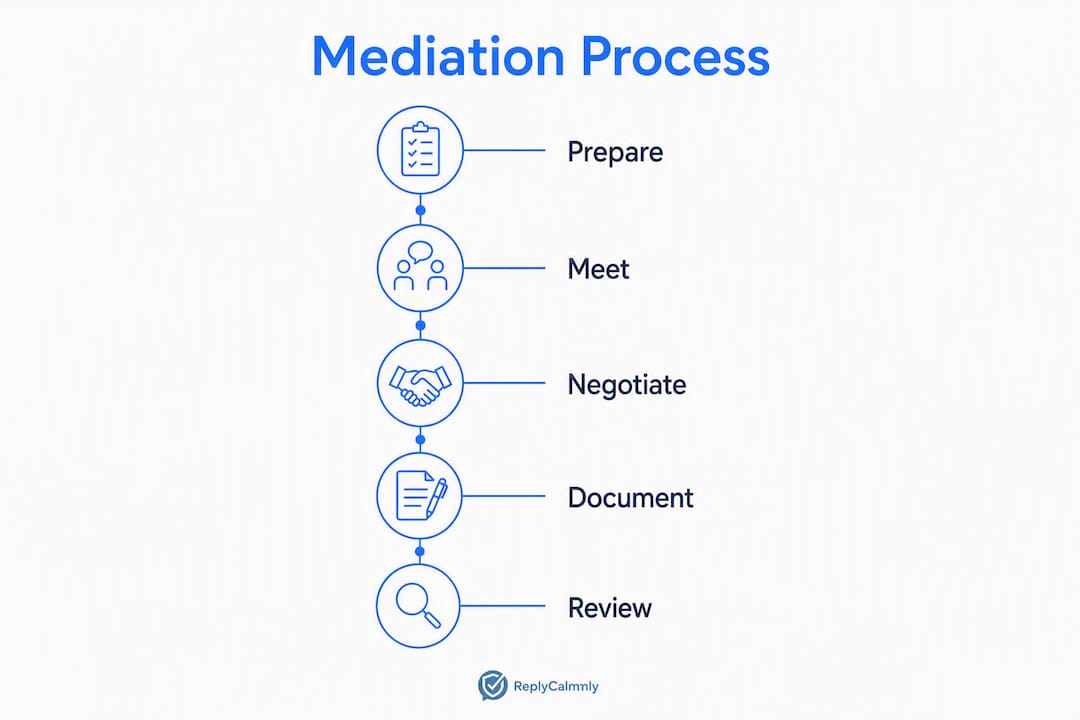
Emotional regulation is a legal strategy, not just a wellness concept. Family law attorneys note that judges use communication tone to assess parental credibility directly. A parent who responds to provocation with measured, child-focused language signals stability. One who fires back emotionally signals the opposite, regardless of who started it.
The 24-hour waiting period matters for exactly this reason. Pausing before responding to a non-emergency message removes the emotional fuel from your reply and shows restraint in the written record. Courts and custody evaluators notice both.
What judges and evaluators typically look for in a communication record:
- Consistent, factual language across many exchanges (not just the heated ones)
- Accurate timestamps and dates tied to scheduled custody events
- Evidence that the child is kept out of adult disputes
- Attempts to resolve disagreements before escalating to counsel
- Predictable, structured parenting behavior that puts the child's interests first
"Attorneys note judges look for long-term behavior patterns and are often skeptical of isolated incidents framed as proof." — High-Conflict Divorce Best Practices, The Law Office of John Vernon Moore, P.A.
What core features should a custody documentation tool have?
These are the features that separate informal note-taking from court-ready documentation.
- Response generator (calm, firm, short variants). Produces multiple reply options so you choose the tone that fits the situation without writing from scratch under stress. Replycalmly's generator does exactly this.
- Incident tracker with category tagging. Lets you label each entry (custody conflict, schedule violation, false accusation, manipulation) so patterns become visible over time rather than buried in a scroll of messages.
- Attachment and metadata preservation. Stores screenshots, voicemails, and emails alongside each log entry with their original metadata intact.
- Immutable exports with custodian statements. Co-parenting apps that generate timestamped exports with custodian declarations strengthen admissibility under FRE 902(11) and state equivalents.
- Pattern dashboards. Visual summaries of incident frequency, category distribution, and communication trends that attorneys and mediators can read quickly.
- Integrations with court-ordered platforms. Courts in high-conflict cases sometimes order parents to use specific communication apps. A tool that layers on top of those systems, rather than replacing them, avoids violating court orders.
- Privacy and role-based access controls. Your incident log should be visible only to you (and your attorney), not to the other parent.
Pro Tip: Link your third-party communication tool to your court-ordered app where possible. The combination of a platform custodian declaration plus your own incident log creates two independent authentication layers.
How do you use these tools day to day?
A four-step workflow you can start today:
- Pause. For anything non-emergency, wait up to 24 hours before replying. This is the single most cited de-escalation practice in family law communication guides.
- Save the native thread. Export or screenshot the full conversation with headers visible, not just the offending message. Full threads with metadata are far more useful in court than cropped images.
- Generate a court-appropriate reply. Use a BIFF-style approach (Brief, Informative, Friendly, Firm) or paste the message into Replycalmly's response generator to get calm, firm, and short variants. Pick the one that fits.
- Log the incident. Attach the evidence, tag the category, note the child impact if any, and save. Replycalmly's tracker timestamps each entry automatically.
Pro Tip: After any verbal agreement at pickup or drop-off, send a short confirming message within the hour: "Confirming we agreed to [X] on [date]." This converts a spoken promise into a dated written record the other parent can correct if they disagree.
When to route the issue to counsel instead: if a message contains a safety threat, a decree violation, or a false allegation, document it immediately and contact your attorney before responding. Some situations call for legal communication guidance before you say anything at all.

What exactly should you document for each incident?
Judges prefer specific, contemporaneous, factual logs over emotional summaries written weeks later. Preserving mundane, logistical exchanges builds a stronger pattern than saving only the dramatic ones.
Fields to record for every entry:
- Date and time of the message or event
- Scheduled vs. actual exchange time (if relevant)
- Who initiated contact
- Exact quoted language when the wording itself is the issue
- Observed impact on the child, if any
- Attachments: screenshots, emails, voicemails with metadata intact
- Witness names and contact information
- Steps taken to resolve the issue before escalating
Sample entry templates:
| Field | Routine Logistics Entry | Conflict or Violation Entry |
|---|---|---|
| Date/Time | March 4, 3:00 PM | March 10, 6:00 PM |
| Type | Schedule confirmation | Late pickup / decree violation |
| Initiated by | Me | Co-parent |
| Summary | Confirmed school pickup for Friday afternoon via text | Co-parent arrived significantly late; no advance notice given |
| Quoted language | "See you Friday in the afternoon" | "I'll get there when I get there" |
| Child impact | None noted | Child visibly anxious waiting outside school |
| Attachments | Text thread export (full, with headers) | Text thread export; photo of school sign with timestamp |
| Resolution attempt | N/A | Sent confirming message noting the delay |
How do you build and export a court-ready report?
A good report is chronological, concise, and focused on patterns, not opinion. Attorneys and mediators can read a well-organized export in minutes. A disorganized folder of screenshots takes hours and often gets set aside.
Components judges and attorneys expect:
- Executive summary (one page): dates covered, number of incidents, dominant categories, and the pattern you are documenting.
- Chronological incident timeline: each entry with date, category, and a one-line summary.
- Representative message threads: native exports with full headers and metadata, not cropped images.
- Attachments: voicemails, emails, photos, with source and timestamp noted.
- Authentication statement: a custodian declaration from the app, message headers, or forensic metadata. Stacking two authentication methods (app export plus carrier records, for example) is stronger than relying on one.
Sample report structure:
| Section | Suggested Length | Notes |
|---|---|---|
| Executive summary | 1 page | Dates, incident count, pattern claim |
| Incident timeline | 2 pages | Chronological, factual, no opinion |
| Message thread exports | As needed | Full headers, native format |
| Attachments index | 1 page | List with source and date for each file |
| Authentication statement | 1 page | Custodian declaration or metadata summary |
Have your attorney or mediator review the report before you file or submit it. They can flag entries that read as opinion rather than fact and confirm the format meets local court expectations. Replycalmly's export feature is designed to produce reports attorneys can work with directly.
What privacy and legal issues should you know about?
Follow your court orders and state consent laws. Documentation helps, but illegal actions can damage your case faster than any message from the other parent.
Key considerations:
- One-party vs. two-party recording laws vary by state. Recording a phone call without the other party's consent is legal in some states and a crime in others. Check with your attorney before recording any call.
- Never change communication methods if a court order specifies one. If the order says OurFamilyWizard, use OurFamilyWizard. Switching unilaterally can be treated as a violation.
- Preserve full threads, not just the worst messages. Native exports with headers are more credible than cropped screenshots.
- Back up your records in two places. A cloud backup and a local copy. Losing your documentation before a hearing is a real risk.
- Redact sensitive personal data (Social Security numbers, financial account details) before sharing exports with anyone other than your attorney.
- Court-favored apps generate custodian declarations that support authentication under FRE 902(11) or state equivalents, which is a meaningful evidentiary advantage.
Pro Tip: After any in-person handoff, send a brief message confirming what was agreed. This creates a contemporaneous written record and gives the other parent a chance to correct any misunderstanding on the spot.
If you are dealing with false allegations, consult a family law attorney before responding in writing. A false allegation in a custody context can escalate quickly, and your documented communication record becomes critical evidence.
What does this cost, and how long does it take to build a useful record?
Building a useful record is affordable and front-loaded. The hardest part is starting the habit; the tool does most of the organizing.
- Freemium tier: Replycalmly's response generator and child messaging tool are free. You can start generating court-appropriate replies today at no cost.
- Subscription: Full incident tracking, pattern dashboards, evidence attachments, and exportable reports cost $19/month after a 3-day free trial.
- Attorney review: Budget for one to two hours of attorney time to review your report before filing. That cost varies by market but is far less than the cost of a poorly organized submission.
On timeline: calm replies deliver an immediate benefit the first time you use them. A persuasive pattern record is a longer project. Practitioners note that pattern evidence often requires consistent entries over months. Most attorneys and mediators consider three to six months of consistent, factual logs a meaningful record, though cases with high incident frequency can build a compelling picture faster.
Key Takeaways
Court-appropriate communication and consistent documentation are the two most effective legal strategies available to co-parents navigating custody disputes in U.S. family court.
| Point | Details |
|---|---|
| Patterns beat single incidents | Judges weigh months of communication behavior, not isolated messages, when assessing credibility. |
| 24-hour rule reduces escalation | Pausing before replying to non-emergencies removes emotional fuel and shows restraint in the written record. |
| Native exports over screenshots | Full thread exports with headers and metadata are more admissible than cropped images. |
| Three to six months builds a record | Consistent, factual entries over that period typically produce a pattern persuasive to mediators and judges. |
| Replycalmly starts free | The response generator is freemium; full tracking and court-ready exports are $19/month after a 3-day trial. |
The part most co-parents get wrong
Most people in high-conflict custody situations focus on the dramatic messages. They screenshot the worst texts, ignore the routine ones, and show up to mediation with a folder of emotional highlights that a judge reads as one-sided.
The counterintuitive truth: routine, mundane messages carry more evidentiary weight than dramatic outbursts. A log that shows 90 days of calm, child-focused exchanges punctuated by three documented violations tells a cleaner story than 90 days of back-and-forth conflict. Judges are pattern readers. Give them a pattern worth reading.
The other thing people underestimate is how much tone matters before you even get to a hearing. Every message you send is potentially evidence. A reply that sounds defensive, sarcastic, or hostile, even if the other parent provoked it, can undercut months of good documentation. Generating a calm reply when you are furious is not weakness. It is the most strategic move available to you.
Replycalmly gives you calm replies and court-ready records from day one
High-conflict co-parenting communication is exhausting, and most parents are managing it without any structured support. Replycalmly changes that with two tools that work together: a response generator that produces calm, firm, or short reply variants from any message you receive, and a full incident tracker that logs, tags, and exports your documentation in a format attorneys can actually use.

The response generator is free. Paste in the message, choose your tone, and send a reply that holds up in court. The $19/month subscription adds incident categorization, evidence attachments, pattern dashboards, and exportable reports built for attorney review. A 3-day free trial gives you access to everything before you commit.
Start with the free co-parent response generator today, or go straight to the full documentation platform if you are ready to build a court-ready record.
This article is general information, not legal advice. Consult a licensed family law attorney in your state to confirm how documentation rules, recording laws, and court orders apply to your specific situation.