
Family court accountability is the practice of creating calm, court-appropriate communications and dated, court-ready documentation that show a reliable record of events and parenting decisions. Build that record consistently and hearings get clearer, motions get stronger, and fewer surprises land on you mid-case.
You'll know it's working when three things start showing up in your records:
- Every entry has a real date and time attached to it, not a vague memory reconstructed weeks later.
- Your notes describe what happened in plain, factual language instead of accusations or interpretation.
- You can see patterns emerge across weeks or months, not just isolated incidents.
Start today: write one dated entry about something that happened this week, or send a short confirming text after your next phone call or pickup change.
Key Takeaways
Family court accountability works when calm, factual communication pairs with consistent, dated documentation that a judge can follow without guessing.
| Point | Details |
|---|---|
| Log incidents the same day | Same-day entries with date, time, and witnesses read as far more credible than reconstructed memories. |
| Confirm verbal agreements in writing | Send a same-day text restating any verbal change to create a dated, reliable record. |
| Choose evidence by claim, not volume | Group a small set of messages around specific claims instead of dumping hundreds of screenshots. |
| Back up records in two places | Keep a private log plus a secure cloud backup, and export threads to PDF regularly. |
| Use Replycalmly for structure | Its response generator and incident tracker turn scattered notes into exhibit-ready, court-report exports. |
Table of Contents
- What Accountable Co-Parenting Looks Like in Practice
- How to Document Communications Step by Step
- What Counts as Strong Evidence in Family Court
- Templates for Calm, Court-Appropriate Responses
- Privacy Rules and Integrating With Court-Ordered Tools
- Presenting Your Records to an Attorney or the Court
- How Replycalmly Turns This Process Into a System
- Frequently Asked Questions
- Sources
What Accountable Co-Parenting Looks Like in Practice
Accountability isn't a mindset. It's a set of habits a judge or evaluator can actually see on paper.
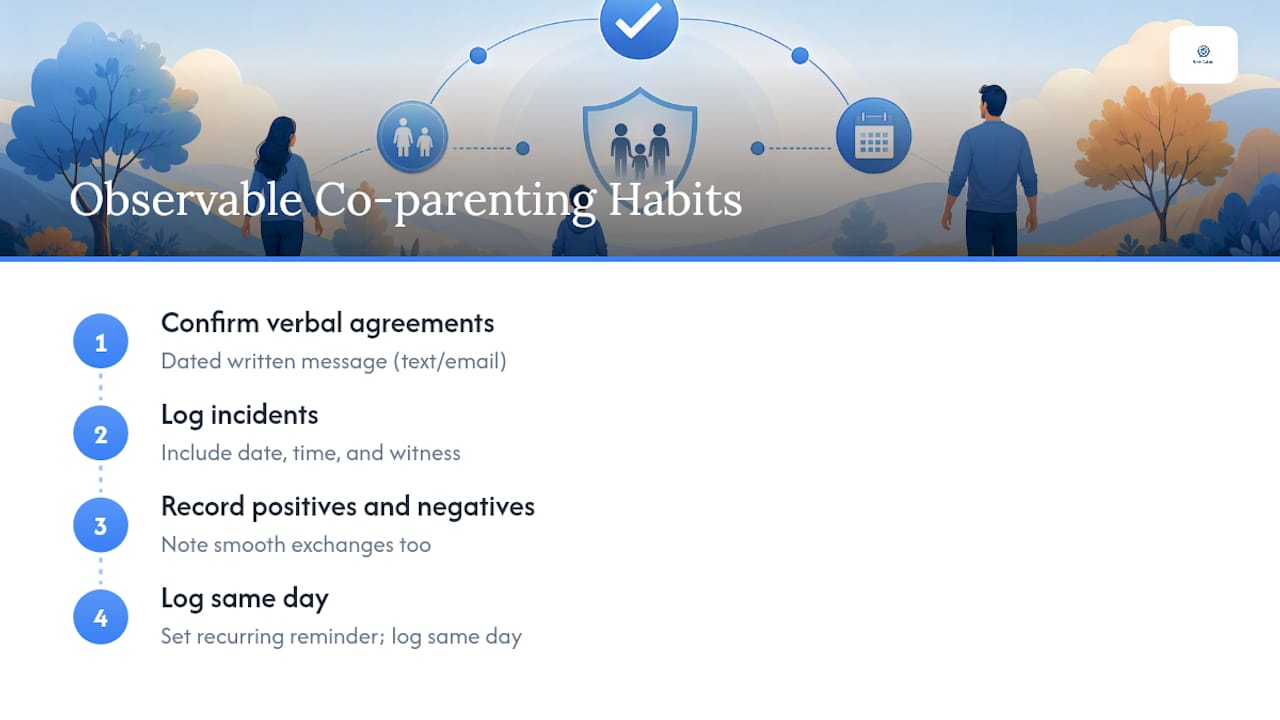
A parent who agrees over the phone to swap a weekend, then sends a same-day text saying "Confirming we agreed you'll pick up the kids Friday at 6pm instead of Saturday morning," has turned a verbal exchange into a dated written record that holds up months later. A parent who logs multiple missed pickups, each with the date, the time the other parent arrived, and who else was present, has built something a judge can actually follow. A record that also notes the times things went smoothly reads as habitual documentation rather than selective evidence-gathering, which matters because courts discount anything that reads like advocacy.
Judges respond to specificity, timing, and corroboration, not volume. A single well-documented incident beats twenty vague screenshots.
Pro Tip: Set a recurring reminder to log incidents the same day they happen. A same-day entry reads as memory; a week-old entry reads as reconstruction, and attorneys can tell the difference at a glance.
How to Document Communications Step by Step
Good documentation isn't complicated, but it does need structure. Here's the process:
- Decide what to record. Focus on custody exchanges, schedule changes, financial disputes, and anything affecting the child's wellbeing. Skip petty arguments that don't support a specific claim.
- Write factual entries. Stick to who, what, when, and where. Avoid words like "always" or "never," and avoid characterizing the other parent's motives.
- Timestamp everything. Note the exact date and time an incident occurred, not just the date you're writing it down.
- Attach evidence. Screenshots, voicemails, and photos should capture the visible timestamp and contact identification without cropping or editing anything.
- Store records in two places. Keep a private journal or dedicated tracking tool plus a secure cloud backup.
- Index as you go. Label entries by category (missed exchange, communication issue, financial dispute) so you're not sorting hundreds of loose notes later.
For quick reference, use this pattern for confirming texts: "Confirming we agreed [specific change] on [date/time]." That single line converts a verbal agreement into something your attorney can cite by date.
Pro Tip: Never rely on memory for a verbal agreement. Send the confirming text within the hour, while the details are still fresh and undisputed.
What Counts as Strong Evidence in Family Court
Not all records carry equal weight. Courts and attorneys tend to favor:
- Native-format emails with headers intact, showing sender, recipient, and timestamp metadata.
- Full text threads exported with metadata rather than cropped screenshots of isolated messages.
- App exports with custodian statements, which come from platforms designed for court use and carry built-in authentication.
- Backed-up voicemails, saved to a second location the day they're received.
- Timestamped photographs showing dates, locations, or conditions relevant to a claim.
- Witness notes, written by a third party close to the event, with their own account of what they saw.
Authentication doesn't require a forensic expert in most cases. Courts generally accept records authenticated through testimony, distinctive message characteristics, or a platform export, and stacking two methods together makes your record stronger. An exhibit-ready bundle typically includes the message thread, a one-line label explaining what it proves, and the date range it covers, grouped by claim rather than dumped in chronological order.
Templates for Calm, Court-Appropriate Responses
Every reply you send becomes part of your record, so the tone matters as much as the content. Keep responses factual, nonaccusatory, and short. Skip threats, skip legal predictions, and skip anything written in anger.
Three reply types cover most situations:
- Calm and informational: State the fact, skip the commentary. "Pickup is scheduled for 6pm Friday per the current agreement."
- Firm boundary: Set the limit without escalating. "I'm not available to discuss this by phone. Please put scheduling requests in writing."
- Brief confirmation: Lock in a verbal agreement. "Confirming you'll have the kids Sunday through Wednesday this week."
Some messages don't deserve a reply at all. If a message is designed to provoke, threatens you, or pressures an immediate emotional response, document it and consult your attorney before responding. Replying in the heat of the moment is how calm records turn into ammunition for the other side. Court-appropriate phrasing built for high-conflict exchanges can help you find the right words faster than drafting from scratch every time.
Pro Tip: A brief confirming text sent within minutes of a phone call does more for your case than a long explanation sent a day later. Speed backs up authenticity.
Privacy Rules and Integrating With Court-Ordered Tools
Before you record a call, check your state's consent laws. Some states allow recording with one party's consent; others require everyone on the call to agree. When you're not sure, skip the recording and send a confirming text instead. It's just as usable and carries no legal risk.
Court-recognized co-parenting apps generate timestamped, uneditable exports, and many include a platform custodian statement that helps establish authenticity without extra legwork. That's a real advantage over a folder of loose screenshots.
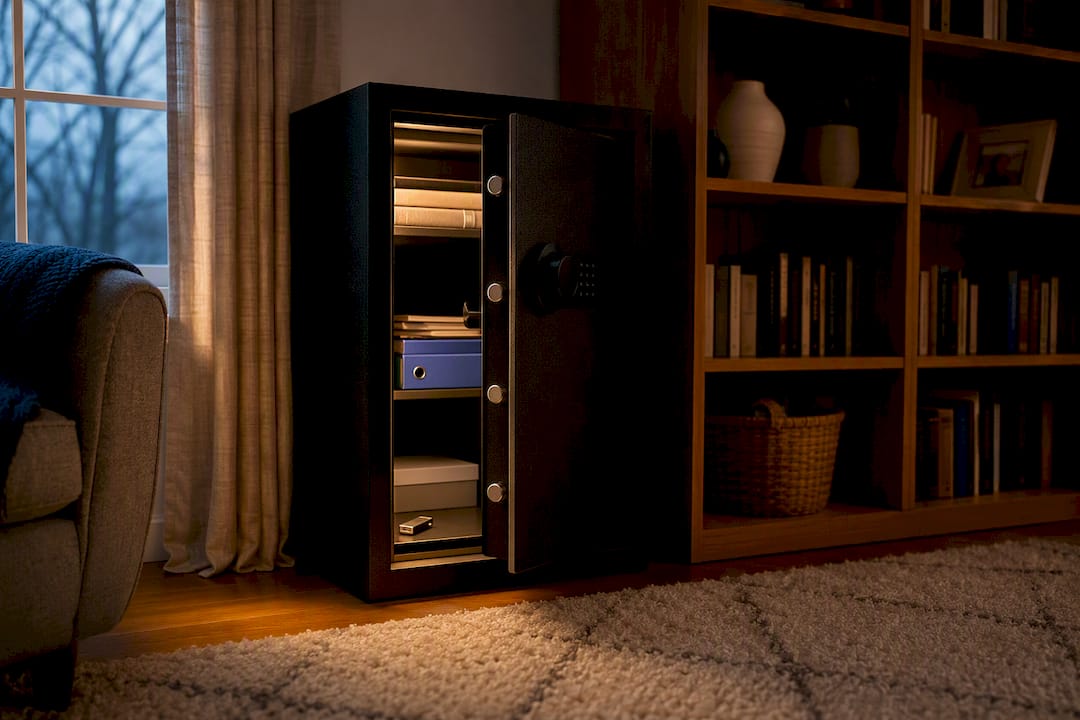
Back up your records in at least two independent places, export threads to PDF on a regular schedule, and keep original files whenever possible instead of only keeping edited copies.
Pro Tip: Store one backup somewhere the other parent has no access to and no knowledge of. A record that can be altered or deleted by someone else isn't a record you can rely on.
Presenting Your Records to an Attorney or the Court
Attorneys work faster, and more effectively, when your records arrive organized rather than as a raw data dump.
Build a one-page timeline that lists each significant incident by date, with a short description of what happened. For exhibits, group messages by the claim they support rather than dumping everything chronologically, and give each exhibit a number, a date range, and a one-line note explaining why it matters. A simple exhibit index on a single page saves your attorney hours of prep time before a hearing.
Send updates to your counsel regularly, not the week before a hearing, and bring original files or devices with you if asked to authenticate anything in person.
How Long to Keep Records, and What It Costs
Keep records for the full length of your case, and longer if custody modifications remain possible down the road, since courts can revisit orders for years. Weekly maintenance takes only a short amount of time if you log incidents as they happen instead of batching them later. A dedicated tracking platform costs roughly $19 a month after a free trial, which is far less than the attorney hours saved by handing over organized records instead of raw screenshots.
Why This System Actually Works
Most parents in high-conflict custody situations aren't lacking evidence. They're lacking structure. We built Replycalmly around that gap: the response generator gives you calm, firm, or short replies in seconds instead of an hour of second-guessing, and the incident tracker turns scattered notes into organized, exhibit-ready records your attorney can actually use.
How Replycalmly Turns This Process Into a System
Everything in this guide, the calm replies, the dated incident logs, the exhibit-ready exports, is exactly what Replycalmly was built to automate. Instead of drafting a response from scratch while you're angry or exhausted, you get calm, firm, or short variations generated in seconds, so what you send stays factual and usable in court.

The incident tracker tags each entry by category (missed exchanges, manipulation, false accusations) and builds a pattern dashboard automatically, so you're not manually cross-referencing weeks of notes before a hearing. When it's time to hand records to your attorney, the platform generates PDF, court-report summaries instead of a folder of loose screenshots. It also integrates alongside court-mandated tools like OurFamilyWizard rather than replacing them, so you stay compliant with any existing court order while adding a documentation layer built specifically for accountability. If you're ready to see what a court-ready system looks like for your case, check out the best co-parenting app for documentation and start your free trial today.
Frequently Asked Questions
What is family court accountability, exactly? It's the practice of keeping calm, factual communications and dated, organized documentation that show a reliable pattern of behavior for use in custody proceedings.
Do I need a lawyer to start documenting? No. You can start logging incidents and confirming agreements in writing on your own. Bring your attorney in once you're preparing for a hearing or motion, or sooner if the situation involves safety concerns.
Is it legal to record phone calls with my co-parent? It depends on your state's consent laws. Some states require only one party's consent; others require everyone's. When unsure, skip recording and send a confirming text instead.
How many months of records do I actually need? Keep records for the duration of your case and beyond if modifications remain possible. Courts can revisit custody orders years later, so don't delete anything prematurely.
Can text messages alone win a custody case? Rarely on their own. Courts weigh authenticated, well-organized records alongside other factors, so a small set of clearly labeled, credible messages does more than a large unsorted pile.
This article is general information, not a substitute for advice from a qualified lawyer. Consult a qualified legal professional about your own circumstances before acting on anything here.
Sources
A few sources are worth bookmarking before your case moves forward:
- How to Document Co-Parenting Communication for Court - Co-Parenting Guide
Print or save these before your next hearing. You won't have time to search for them the morning of.